system-config-printer

This page is about the printer administration tool system-config-printer, which first appeared in Fedora (as part of my work at Red Hat), and later Ubuntu and other operating systems.

The purpose of the tool is to configure a CUPS server (often the local machine) using the CUPS API. The tool is written in Python, using pygtk for the graphical parts and with some Python bindings (pycups) for the CUPS API.

It is largely the same as using the CUPS web interface for configuring printers, but has the advantage of being a native application rather than a web page. It appears in the Fedora menu under System ▸ Administration ▸ Printing.

As a result of using the CUPS API the tool is able to configure remote CUPS instances and is not limited to configuring CUPS on the local machine. The CUPS library providing the API uses HTTP and IPP to communicate with the CUPS server.

Please note that I no longer maintain system-config-printer. Please visit its new home at GitHub.

Download

Download older tarball releases from:
https://cyberelk.net/tim/data/system-config-printer/

You will also require pycups from:
https://cyberelk.net/tim/software/pycups/

Source Code

The git repository is available at GitHub.

Translations

Language translations should be submitted through Zanata.

Reporting bugs

If you have found a bug in system-config-printer, please report it. If system-config-printer came with your operating system, report the bug to the operating system vendor:

  • Packagers, or people who have installed system-config-printer from source themselves, should report the bug at GitHubThis is the “upstream” bug tracker.
  • Red Hat Enterprise Linux and Fedora users should use Red Hat Bugzilla
  • Ubuntu users should use launchpad
  • Mandriva users should use Mandriva Bugzilla

Comments

363 responses to “system-config-printer”

  1. […] just finished coding up a performance enhancement for system-config-printer. Now after clicking “New Printer”, it starts fetching the list of printer models and […]

  2. Steve Emms avatar

    system-config-printer has been featured at LinuxLinks.com

  3. […] admin tool, capable of indexing the PPDs that CUPS returns in a variety of useful ways. This means system-config-printer no longer needs to parse the foomatic XML database when looking for a printer driver, starting from […]

  4. Giuseppe Torelli avatar

    Hi,

    when I run:

    gt[sdb10]$ python /usr/share/system-config-printer/applet.py
    system-config-printer-applet: failed to start PrintDriverSelection service

    I get the error message above and no applet appears on the systray. The cups daemon is
    started but strangely I cant get its page in the browser at localhost:631

    gt[sdb10]$ ps ax | grep cups
    9184 ? Ss 0:00 /usr/sbin/cupsd

    Any idea of what happened? I use Xubuntu.

  5. tim avatar

    Guiseppe: the PrintDriverSelection message is harmless. When you print something you’ll see the icon there. It purposely doesn’t load the GTK+ bits until it has to.

  6. oliver friedl avatar
    oliver friedl

    on fedora4 i used system-config-printer-tui with –Ximport to config 60 linux workstations remotely per script

    as this feature seams to be removed in the new system-config-printer (included in fedora6)
    i can fix cups settings now by hand (i checked it 2 times and did not find any way to export or import settings)

    is there an xml non gfx interface planed?

    greetings
    oliver

  7. tim avatar

    No, there is no XML interface planned, and no non-graphical interface planned. Here’s why not.

  8. […] just created a 0.7.74.x branch for system-config-printer, for bug fixes only. Fedora 8 will follow this branch for the time […]

  9. […] just wrote a short piece about how the Fedora CUPS administration tool (system-config-printer): Abstract: This document aims to give a brief introduction to the CUPS administration tool that […]

  10. Richard Cruickshank avatar
    Richard Cruickshank

    System-config-printer has been set up on my pc, hopefully correctly, but every time I send a document to the printer, nothing comes out. I cannot print PDF documents, e-mails or web pages. I have no problem printing Open Office Documents.
    I use Fedora Core 7 which is fully updated and a Ricoh CL 2000 printer which is connected to another computer and is accessed via our network (the printer is not connected to the network).

    I am a newbie to Linux and am battling a bit so any help will be sincerely appreciated.

  11. tim avatar

    Hi Richard,

    The Fedora mailing list is the best place to ask about things like that. Subscribe to that list, then post a message there and includes details like what sort of networked computer the printer is connected to and how you set up the queue on the Fedora 7 machine. (I’m on that mailing list myself…)

  12. […] added an IPP browser to system-config-printer, similar to the SMB browser. Screenshots […]

  13. Jones Lee avatar
    Jones Lee

    Hi Tim,
    Lovely program you got there, I just found out about this beautiful program when I migrated to Ubuntu Gutsy. Great work! You rocks!

    I have 1 suggestion, the GUI is not very GNOME HIG and the icon is abit alienated on Tango style of GNOME 2.20.

  14. tim avatar

    Thanks. The icon comes from the theme in the latest version, but please do suggest specific user interface improvements either in Bugzilla or in Launchpad (see above, “Reporting bugs”).

  15. […] user notifications when appropriate. This is what we do for Fedora, and the program is part of the system-config-printer […]

  16. Steve White avatar

    I’m using Scientific Linux 5, and trying to connect to our IPP printers (or printer server, I’m not sure). The only mechanism provided by this distribution for Gnome printer configuration is system-config-printer. So far, I have not managed to configure the system so that applications can see printers.

    The first strange effect is: when I click Goto Server, and type in the address of our printer server, it asks for a root password. I don’t have one. I tried my normal user name and password (and also no user name), that didn’t work. If I click Cancel, it just gives me the same login dialog again. But strangely, if I click yet again, the dialog goes away, and the printer list is populated, exactly as though it had connected to the server… That just looks broken. But OK.

    I click on the desired printer, and I see all the PPD info for that printer. But I can’t do anything with it: I click “Make Default Printer”, and it asks me again for a root password on the printer server! That doesn’t make sense.

    Well OK, so system-config-printer is meant to configure a CUPS server. Whatever. But how do I use it to connect to our networked printer? I also tried updating system-config-printer to 0.7.78, but it behaves exactly the same.

    I have also tried using the CUPS configuration tools, but they require a CUPS server to be running locally. So I went through that whole mess, and got something somewhat going, but never managed to get a job to print. They just hung in the queue. Everything looked as though it was enabled, but in the CUPS logs, it kept saying something about “Unable to connect to printer”.

    My colleague, using an identical system, has succeeded in this, but he uses KDE. He is not running CUPS either.

    Any suggestions (besides switching to KDE…I already thought of that)?

  17. tim avatar

    Steve: system-config-printer is not meant to configure your network printer, but instead is for configuring a CUPS server. If you (or your printer) aren’t running CUPS, it’s no good to you. If you don’t have the password for the CUPS server you want to configure, you won’t be able to configure it regardless of which method you use.

  18. Steve White avatar

    Hi,

    Just to follow up: I mostly solved the problem, by grep’ing people’s /etc directories.

    I put a line in /etc/cups/client.conf :
    ServerName

    Now I can see all our network printers in the “Default Printer” dialog, and in the Print dialogs of applications.

    But I see no way from the Gnome interface provided by Scientific Linux to set that.

    Also, the behaviour of system-config-printer remains rather broken in this situation. Clearly it connects to the specified print server to read, although the business of repeatedly asking for a root password is just a bug.

    There should be some way by which the user can direct it to the server in read-only mode (just for a listing of printers, e.g.) and it should be clear to the user what the options are in that situation. For me, it looked like I should be able to specify my system’s printers, and I spent a lot of time messing with it.

    I’ll contact the Scientific Linux people about this.

    Cheers!

  19. markus avatar
    markus

    Hi tim…

    thx for system-config-printer. I’m using it on Slackware 11.0/12.0, Bluewhite64 and Wolvix (always compiled from source) and it works perfectly for me except for a few bugs that may be related to Slackware:
    Currently i have two patches to make it work again on older GTK+2 and Python versions and on Slackware 12.0 i need to apply a patch to fix utf8 decoding errors when adding a new printer.
    Besides that: everything works great. Good job!

    Markus

  20. […] just added print job failure alert messages to the system-config-printer applet, and this is what one looks like. Part of the work involved in doing this was to switch from […]

  21. Richard avatar
    Richard

    I was using config-printer-tui –Xexport and –Ximport to export/import CUP definitions from one server to others. config-printer-tui is no longer available. Is there another way to export/import CUP definitions?

  22. Robert avatar
    Robert

    I recently upgraded a Fedora Core 5 system to Fedora 7. This was done by copying the Fedora 5 system to other partitions and then doing a Fedora 7 upgrade to the copy. So, I could test with the upgraded system while keeping my old Fedora 5 system.

    Because of a printer problem, I deleted a printer definition and when I started to (re)define it I found that “printconf” was no longer in the Fedora 7 system. (Apparently it actually went away with Fedora 6.)

    The printer is a networked Unix (LPD) type.

    I do not understand how to define the printer with the current system-config-printer pkg. With the old printconf command, parameters such as name, Desc, type (networked unix LPD), IP address, queue name, and various other options were defined. How are these parameters to be specified now? printconf stepped you through these options and I do not see how that is to be done with the newer pkg.

    Thanks.

    Robert

  23. tim avatar

    Robert: Click ‘New Printer’ and follow the prompts. Select ‘LPD/LPR Host or Printer’, type in the hostname and the queue name, select a driver, etc.

  24. wonderkid avatar

    how to config at slackware ?

  25. tom avatar
    tom

    HI,
    is dependency on python-gnome2 necessary? I prefer Xfce without gnome libs. Thanks.

  26. tim avatar

    tom: the dependency could probably be avoided. We use it for gnome.url_show(), that’s all. Have a suggestion for a replacement?

  27. tom avatar
    tom

    What set_website(website) in gtk.AboutDialog?
    http://www.pygtk.org/docs/pygtk/class-gtkaboutdialog.html
    Sorry, my english is bad.

  28. tim avatar

    Yes, we use gtk.AboutDialog.set_website() — and that’s one of the places that a URL hook function is required, so that clicking on it invokes a web browser. That function (gnome.url_show(), to invoke the appropriate web browser) is what we use gtk.gnome for.

  29. George Liu avatar
    George Liu

    I’m trying to run system-config-printer-0.9.90 (from tar ball) on my FC7 box, and I got the following error messages.

    [george@localhost system-config-printer-0.9.90]$ system-config-printer
    Traceback (most recent call last):
    File “/usr/share/system-config-printer/system-config-printer.py”, line 4289, in
    main(start_printer, change_ppd)
    File “/usr/share/system-config-printer/system-config-printer.py”, line 4259, in main
    mainwindow = GUI(start_printer, change_ppd)
    File “/usr/share/system-config-printer/system-config-printer.py”, line 246, in __init__
    self.AboutDialog.set_program_name(domain)

    Any component that I have missed?

    Thanks

  30. Milan Bouchet-Valat avatar
    Milan Bouchet-Valat

    Great tool! I have a somewhat stupid wishlist demand though: in the names of newly created printers, spaces are not allowed, and thus system-config-printer inserts ‘_’ as a replacement. This is kind of ugly (e.g. Stylus_Color_880), and automatic printer installation for USB printers makes it be the default. Wouldn’t you replace the ‘_’ character by a standard dash ‘-‘: Stylus-Color-880 would look much more professional (i.e. less geeky).

    Just an idea, but polishing is what will make Linux win, isn’t it? Keep up the good work!

  31. tim avatar

    Milan: yes, good idea. I’ve made a note to do this. Actually it needs to be done in two places at the moment: system-config-printer and hal-cups-utils. Hmm, should use some common code for this.

  32. tim avatar

    George: You just need a newer GTK+ I think, and perhaps also a newer pycups. Fedora 7 is a little old to run the 0.9.x code on. (Fedora 8 works fine.)

  33. […] released system-config-printer 1.0.0 and built it for Fedora’s development tree. The main focus has been improving the way […]

  34. CROSS avatar
    CROSS

    DRIVER FOR CANON S750?

  35. JMW avatar
    JMW

    How do you set the Username for “Custom user name” (Printer Configuration -> Printer Options -> User Name: )?

  36. Mike O. avatar
    Mike O.

    Thanks for all the good code :^)

  37. Walter avatar
    Walter

    I am having difficulty cancelling print jobs.
    Printer is HP F380
    What is the most effective method to cancel print jobs.
    Problem commences when one print job has a problem then other print jobs queue and I cannot cancel the problem print job

  38. tim avatar

    Walter: click on the printer icon in the notification area, then right-click on the job you want to cancel and select ‘Cancel’.

  39. Frank Griffin avatar
    Frank Griffin

    Mandriva is now using system-config-printer, and a user entered a bug on their bugzilla titled “the step to add a custom PPD file is proposed too early”. It is a usability concern, and deals with the panel that shows the manufacturer and solicits an external PPD.

    The bug report can be read at:
    https://qa.mandriva.com/show_bug.cgi?id=42655

    I was going to open a corresponding bug here, but I’m a little confused from the above directions as to which tracking engine to use.

    Thanks,
    Frank Griffin

  40. tim avatar

    I’ve updated the ‘Reporting Bugs’ section.

  41. Frank Griffin avatar
    Frank Griffin

    Well, the problem has already been reported to Mandriva, as per above. They requested me to report it upstream. So where should I report it ?

  42. tim avatar

    In the trac instance on fedorahosted. (Shouldn’t Mandriva do that for you?)

  43. Milan K. avatar
    Milan K.

    Great tool. I want to add an item to the system-config-printer wishlist.

    I could not find option to add a remote cups server into my local cups server configuration which will be polled for printers. I always have to add “BrowsePoll server.name.net” option manually to cupsd.conf on laptops.

    We do have a cups print server which is used to print to 12 network printers located at various places in our building. This cups server advertises the printers into our wired local network so all the Linux machines wired to the local network can print to the available printers, client machines have the option “Show printers shared by other systems” on. This configuration is very handy because new printers can be added and/or removed from the server and the list of available printers is always up to date on all the clients.

    Laptops are usually on wireless where the printers are not advertised because wireless covers whole (very big) campus and we do not want to advertise our building printers to the whole campus. Although, server will let the laptops print from the wireless network if they want to and know where. Here the BrowsePoll option comes in.

  44. tim avatar

    Already done in 1.0.5. 🙂

    Please use the appropriate bug tracking tool (see above) when reporting bugs or requesting features, instead of adding comments to this page.

  45. André Fettouhi avatar
    André Fettouhi

    On my Arch Linux box system-config-printer won’t start at all. I keep getting an error

    [af@andre ~]$ gksu system-config-printer

    ** (gksu:12688): WARNING **: couldn’t communicate with gnome keyring daemon viadbus: Launch helper exited with unknown return code 0
    Traceback (most recent call last):
    File “/usr/share/system-config-printer/system-config-printer.py”, line 5272, in
    main(configure_printer, change_ppd)
    File “/usr/share/system-config-printer/system-config-printer.py”, line 5242, in main
    mainwindow = GUI(configure_printer, change_ppd)
    File “/usr/share/system-config-printer/system-config-printer.py”, line 329, in __init__
    self.newPrinterGUI = np = NewPrinterGUI(self)
    File “/usr/share/system-config-printer/system-config-printer.py”, line 2668, in __init__
    self.openprinting = cupshelpers.openprinting.OpenPrinting ()
    AttributeError: ‘module’ object has no attribute ‘openprinting’

    Regards

  46. tim avatar

    André: please do not report bugs by adding comments to this page. Anyway it looks like you don’t have system-config-printer installed correctly. Report your bug to the Arch Linux folks, or if you installed it yourself use the “upstream” bug reporting link shown above.

  47. tomas kindahl avatar
    tomas kindahl

    On my wish list: a direct link to Common Unix Printing System (CUPS) (http://www.cups.org/) from this font matter, f.ex. on the right above Pages.

  48. Jose Luis Aguilar avatar
    Jose Luis Aguilar

    how to config printer…epson stylus photo R200

  49. tim avatar

    All: Questions about specific printer models should be asked at http://www.openprinting.org/, not here.

    For example, Jose, information about driver support for your printer is here:
    http://openprinting.org/show_printer.cgi?recnum=Epson-Stylus_Photo_R200

    As a USB autodetection signature is known for this printer, all you should need to do to configure it (on Red Hat Enterprise Linux 5, Fedora, and Ubuntu at least) is: plug it in.

  50. Uwe Dippel avatar
    Uwe Dippel

    I wonder, which protocol system-config-printer needs for discovery?
    I was successful twice, just clicking the ‘New’ icon, but now at home it fails. Though the printer is ‘here’:

    $ nmap 192.168.116.240
    Starting Nmap 4.62 ( http://nmap.org ) at 2008-12-14 00:36 SGT
    Interesting ports on 192.168.116.240:
    Not shown: 1708 closed ports
    PORT STATE SERVICE
    80/tcp open http
    427/tcp open svrloc
    515/tcp open printer
    631/tcp open ipp
    1720/tcp filtered H.323/Q.931
    2000/tcp open callbook
    9100/tcp open jetdirect
    Nmap done: 1 IP address (1 host up) scanned in 4.614 seconds

    , on this network:
    eth1 Link encap:Ethernet HWaddr 00:0c:f1:31:6c:66
    inet addr:192.168.116.179 Bcast:192.168.116.255 Mask:255.255.255.0
    inet6 addr: fe80::20c:f1ff:fe31:6c66/64 Scope:Link
    UP BROADCAST RUNNING MULTICAST MTU:1500 Metric:1
    RX packets:2973 errors:2 dropped:2 overruns:0 frame:0
    TX packets:3154 errors:0 dropped:0 overruns:0 carrier:0
    collisions:0 txqueuelen:1000
    RX bytes:1216879 (1.2 MB) TX bytes:340584 (340.5 KB)
    Interrupt:5 Memory:fcfee000-fcfeefff

    Any idea?

    Uwe

  51. tim avatar

    Uwe: it’s not really system-config-printer, but CUPS. The only discovery system-config-printer provides over CUPS is for Windows printers (SMB), which is not relevant for this printer.

    The most likely backend for discovering your printer is ‘snmp’. If ‘/usr/sbin/lpinfo -v’ doesn’t show your printer, try running the snmp backend directly and pointing it to the right place:

    /usr/lib/cups/backend/snmp 192.168.116.240

    Does that find it? If so it might be that /etc/cups/snmp.conf is wrongly configured, or else it might be that the printer does not respond to broadcast SNMP.

  52. […] been trying to prevent a Python GTK+ application (the system-config-printer printing troubleshooter) from appearing to freeze when performing CUPS operations such as fetching […]

  53. […] just made system-config-printer-1.1.0 available.  Below are some of the changes compared to […]

  54. Andrea avatar
    Andrea

    Hi,
    I have a problem with the printer server on Ubuntu 8.10.
    I need to clean the head but the key in the printer terminal is disabled.
    What can I do to enable it?
    Thank you

  55. click170 avatar
    click170

    Hey,
    Great app, printing in Ubuntu would be horribly painful without it!

    I only wonder if it would be possible for you to switch to interfacing with PAM (Pluggable Authentication Modules) for authentication.

    For example, there is currently a bug at https://bugs.launchpad.net/ubuntu/+source/system-config-printer/+bug/302158 detailing the problem. I currently use LDAP to authenticate to, but because system-config-printer doesn’t check PAM, I’m not able to add a printer without using one of the workarounds posted in the bug report. Thankfully, there ^are^ workarounds so I’m not SOL.

    Really appreciate the work your doing, People like you who contribute usability improvements back to linux are making it ready for the masses.
    Thank you!!

  56. tim avatar

    click170: authentication with CUPS doesn’t work the way you think it does. The system-config-printer application does not run with any elevated privileges, and it is the CUPS server running on your machine that performs authentication.

    Thanks to some work I did a while back it is possible for CUPS to work out who you are without requiring a password. The problem comes when you are not a “SYSTEM” user and the cupsd.conf policy requires a system user for a particular operation. There is currently no way to configure a CUPS policy that allows console users to perform administrative operations as themselves, and so we need to authenticate as a system user (e.g. root) to do that.

    Ubuntu handles this in a particularly bad way: although administration does not require a password for the “main” user on the system, submitted jobs are handled as though printed by user “root”.

    A better direction to move in is to allow PolicyKit to enable certain administrative operations. This would allow greater flexibility when authenticating with the CUPS server as the policy can be defined more easily. It would also enable us to perform operations that do not require system privilege (e.g. submitting a print job) to do so under our own names, simply by not using the PolicyKit interface for them.

    Work is underway to implement this, but it is not yet complete.

  57. Messias avatar
    Messias

    Using the system-config-printer on my ubuntu 8.04, I click in the icon “new printer” but my computer stops completely. Is there some solution?

  58. tim avatar

    Messias: that sounds more like a problem with Ubuntu than with system-config-printer. Report it to them.

  59. Nico avatar
    Nico

    Hallo Tim,

    I’am searching for a how-to to use the your program (system-config-printer 0.7.74.4). but I find no where one. So I’m sorry to bother you with my stupid questions:
    How can I access to a network printer (hp cp1515n) that is connected to the same router like my Fedora based netbook (acer aspire one). I use the New Printer Dialog:

    1. it’s not at a Windows PC so i choose IPP
    2. I hate to choose a computer name … hmm what is meant … the only computer is my fedora netbook so i choose localhost but I’m really unsure.
    3. now i have to define printername: I fill in the name my router sees: NPI291BA6 or should i choose the IP-Adresse of my printer? btw now i press next.
    4. choose the printer out of the printer choosing list. googled that there is a printer that can be choosen with my printer model it’s the hp cp3505. Now press next.
    5. now i have to define again ?? a printer name. Prefilled is in this Field Printing_Protocol !? so I don’t change it. Description is one of the field that explains himself well enough for such noobs like me.
    6. and now there is the field location (optional): prefilled with localhost, i delete it and type in office.

    so all is done and i try to print the testpage with the testpage button. but nothing happend.

    Anybody knows what I’m doing wrong?
    thanks in advance for helping such a stupid guy like me!

    Nico

  60. Nico avatar
    Nico

    sorry i meant in point 2. I have to choose … (typos are most time most worse in meaning 😉
    Nic

  61. tim avatar

    Nico: just because it’s a network printer doesn’t necessarily mean that you should choose “IPP” as the network protocol. For HP printers I would guess HP JetDirect as the protocol.

    The hostname you need to enter is the DNS name (or IP address) for the printer, not for your computer.

  62. Nico avatar
    Nico

    Hello Tim,
    Thanks for your quick response!
    the HP JetDirect is not choosable in the New Printer Dialog.
    I have only 2 choices.
    1. Windows Printer via SAMBA
    2. Internet Printing Protocol (ipp)
    and no more, no HP JetDirect.

    Do you know how i can use this with my fedora8 based linpus Linux and the preinstalled (system-config-printer 0.7.74.4).

    maybe you have a resource in the web where i can find a system-config-printer for dummys where all the options to fill out are explained (maybe with examples for different cases) then I can try on my own without bothering you.

    Thanks in Advance
    Nico

    Best regards Nico

  63. tim avatar

    Sounds like you have a bad installation of Fedora 8. On a clean installation here I get these options:

    * Windows Printer via SAMBA
    * AppSocket/HP JetDirect
    * Internet Printing Protocol (ipp)
    * LPD/LPR Host or Printer
    * Other

    You’ll only get the SAMBA option if samba is actually installed, but the others all ship with cups.

    By the way, it’s time to upgrade anyway — Fedora 8 end-of-line is tomorrow.. 😉

  64. […] just added support to system-config-printer for displaying ink and toner levels for printers.  It’s in the 1.1.x branch and will appear […]

  65. […] part of my work for Red Hat I’ve been working on the printing configuration program, system-config-printer.  Fedora 10 came with version 1.0 of this application, which provides a notification area print […]

  66. Murali Narayanan avatar
    Murali Narayanan

    I am using System-config-printer 1.0.5 with Ubuntu 8.10 x86-64 for HP Deskjet F2200 Series printer. All the print jobs (including test page) are printing blank pages only.

  67. tim avatar

    Murali: try the troubleshooter (Help→Troubleshoot). In general, for problems with specific printers you need to report a bug to whoever your Linux distribution came from, in this case the Ubuntu people.

  68. […] latest build of OpenSolaris uses system-config-printer for configuring CUPS.  World domination is brought a step […]

  69. jl avatar
    jl

    About as useful as a hip pocket in a singlet
    If you cant tell us how to start the thing, why bother telling us anything else.
    I mean WHAT runs when you click on system administration printer ?
    This lasted just long enough to go in the never again bin for me.

  70. tim avatar

    jl: you haven’t described the problem you’re having with system-config-printer, so there is no way for me to help. When you select the “Printing” entry from the Administration menu, you should see a window containing icons showing your available printers.

  71. Sigmason avatar
    Sigmason

    Is there a way to get the “Document Print Status” windows to open from the command line?

    In Ubuntu 8.10 they eliminated gnome-cups-manager in favor of your tool. Problem is, you could open the queues automatically from the command line with gnome-cups-manager. The advantage was that if you had a print server sitting somewhere and it was rebooted you could easily script the system to reboot, log in, open the queues and put them where you wanted them with devilspie.

    Now apparently you can’t do that in Ubuntu. Is there a way to get to that functionality you have? The alternative option printop is just not as user friendly for my needs.

  72. tim avatar

    Yes, you can use

    system-config-printer-applet --no-tray-icon

    to open a job viewer window for your own jobs (on any printer).

    If you need to see jobs jobs that are not your own, or jobs on particular printers, use ‘View Print Queue’ from the main ‘system-config-printer’ application.

    However, you cannot currently move jobs between printers using the graphical tool. To script that it would be easier to use the lpmove command line tool anyway.

  73. Sigmason avatar
    Sigmason

    Thanks Tim,

    Problem is, as this is a print server function, most (if not all) of the jobs aren’t ‘mine’. That said your suggestion works as offered for jobs the printer server itself generates.

    I downloaded your packages and peeked at your source, do you mind if I mangle it a bit to get the ‘View Print Queue’ to open without the user interaction?

  74. tim avatar

    Not sure I understand the use-case yet, but of course, go ahead. Take a look at this page for information on how to create and submit patches:
    https://fedorahosted.org/system-config-printer/

  75. Sigmason avatar
    Sigmason

    Well, I use these installs as printer servers in clusters of printers. The servers are literally wired to the printers (parallel and USB) and people walk to these clustered printers to get their jobs. However, they submit these jobs from their workstations back at their desks. There’s additional reasons this is the best choice in this deployment scenario, but they are irrelevant to this discussion.

    Ideally I’d like them to be able to walk to where the printers are, see their jobs in the queues on that print server, be able to interact with the queues (delete jobs…so forth), so that they don’t have to go all the way back to their desks in case a printer jams or a job goes nuts.

    The problem is the current functionality doesn’t do that. I can only open a window that shows the jobs the print server PC itself generates locally, like you said ‘my’ jobs. Most of the jobs I want people to be able to interact with are not ‘my jobs’ they are their jobs from across the network.

    Hence the issue, thanks for the link.

    This isn’t very urgent for me, it just keeps popping up because I have several of these print clusters so far. Everything is fine as long as they don’t loose power. Once they drain their UPS the party is over and they shut down and then the only way to open the print queue’s is for the users to manually interact and it seems to be a problem for them.

    If I make the change I’ll try to offer them back out the community for review.

  76. tim avatar

    Yes, I see. You can view all jobs on all printers by selecting ‘View Print Queue’ with no printers selected (or all printers selected).

    There is no way to start that view from the command line at the moment.

  77. Sigmason avatar
    Sigmason

    2 more questions:

    Is there a way to ‘hide’ a print queue from the ‘view all queues’ option? I had to feed a raw queue from a filtered queue the other day (to keep the 2 queues from feeding the same port at the same time) and it causes a job to appear twice (once in the queue that it was sent to, and once in the queue it was printing from in an orderly manner). My need to chain the queues like this -may- be caused by an existing problem with cups, but it might be nice to hide queues from the ‘view all queues’ screen for other reasons. Perhaps there’s a character that could be put in a queue name that would indicate to not show it?

    Also, I’ve noticed that on Ubuntu 8.10, occasionally the request for printer properties for some printers does not appear. After closing the application it works correctly again. Not sure what the cause is. It seems to effect all the queues assigned to a particular printer. Yet the queues still operate. Quite odd. It doesn’t seem to favor a particular printer.

  78. tim avatar

    To view queues from a particular set of printers, select those printers and then select ‘View Print Queue’. So to exclude a particular printer, select all, deselect the one you want to exclude, then select Printer -> View Print Queue.

    As for the problem you are seeing on Ubuntu, please report that to the Ubuntu folk. Same with any distribution — unless you built and installed system-config-printer yourself from the distribution tarball, report problems to the person who did.

  79. Peter White avatar
    Peter White

    I bought an Aspire One with Linpus Lite and wanted to print to my old HP Jet Direct printer. Its easy from Windoze but not so from Linpus.

    The only print options I was offered was Internet Printing and SAMBA.

    Should I be looking to download some different printing software is there a trick I’m missing.

    Peter

  80. tim avatar

    Sorry, not familiar with Linpus but it looks like that includes quite an old version of system-config-printer (0.7.x), one that I no longer maintain.

    If it’s a USB printer though it should just be a case of selecting that printer from the list.

  81. Francisco Espinoza avatar
    Francisco Espinoza

    Hi, i tried to install an Epson Stylus RX595 shared on Windows Xp, but the system-config-printer 1.0.0 dont’t show me the option printer via samba, show the way how can i install it?, Thank.

  82. tim avatar

    Francisco: sounds like you need to install samba, or more specifically the client parts of samba. Samba provides a CUPS backend ‘smb’ which you need for that.

  83. Ian W Roberts avatar
    Ian W Roberts

    Printing at home has been a dream (easy, reliable, etc) since I set up an Ubuntu server (file and print sharing) using CUPS. 🙂

    One suggestion, the test page that’s generated when I install the shared printer on workstations uses heaps of toner. I would like to suggest a design that tests much the same capabilities using smaller patches of colour.

    I suspect that most people use that test page just to prove connectivity etc and other more complicated test pages could be provided via a web site.

    Then again, I’m not entirely sure who’s responsible for the test page design. It bears a large ubuntu icon and header at the top, 8 rows of colour test strips (grayscale, RBG & CMYK). Each row is 14mm high and extends the full with of my A4 page in 11 steps of saturation.

    At the bottom is a footer: Product: GPL Ghostscript Version: 3010 Revision: 861

    Printing on my most recently upgraded workstation (ubuntu 9.04) is using system-config-printer 1.1.3. The print configuration About panel had a link to this website.

    Perhaps someone can direct me to a better destination for this gentle feedback.

  84. Lucelio avatar
    Lucelio

    Hi,
    5 months without printing on Linux Fedora(F10-x86_64).
    What are the stept, for setting up Samsung CLP-350N Color Laser Printer.
    Samsung doesn’t give any help.
    Anybody can help?
    Thanks.

  85. GPD avatar
    GPD

    hi,
    I have a slight problem with my HP1300. I use 100gr papers with a XEROX toner and I need to set the fuser temperature a bit higher than what is proper for the original 80gr paper (and I suspect the HP toner), otherwise the toner is removed from the paper (not from letters, but parts from drawings for some reason).

    Also, I need fuser temperature control to set this option to very low temperature for some DIY PCB transfers (i.e. set temp low, so that toner does not stick very much in paper and can transfer to copper plate easier with the iron) In Fedora 8 it had this option, i.e. 80gr, 100gr, 120gr, coarse paper etc; in Fedora 10 either it does not, or I am … too blind to see them!

    In case they are not there indeed, I guess that the advanced options somehow will permit this, but I do not understand how to use them. I suspect that the CUP API relates to this, but I need a few hints, so could you please drop a line or two or point to an advanced options tutorial? Ideally, could you please “return” these features?

    thank you!
    GPD

  86. tim avatar

    GPD: the content of the “printer options” screen comes entirely from the PPD for the queue, which depends on the driver selected. Perhaps you are using a different driver than previously?

  87. tim avatar

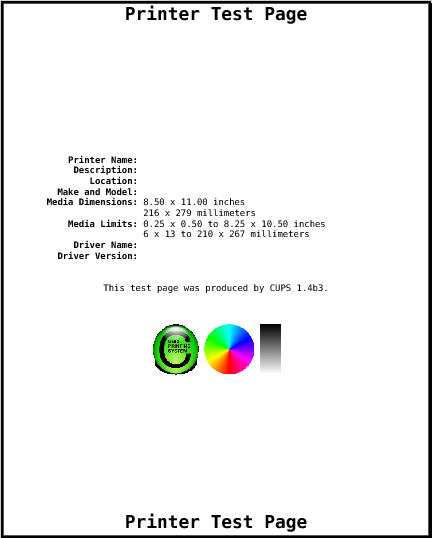
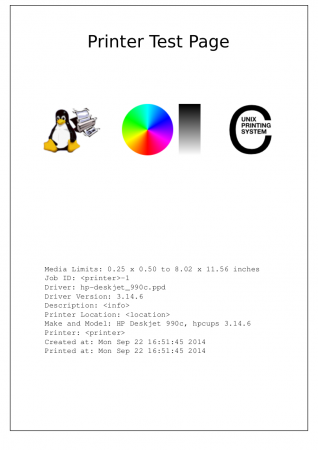
    Ian W Roberts: that sounds like a custom test page shipped by Ubuntu. The test page that will be included in CUPS 1.4 currently looks like this (the fields are filled in dynamically):

    CUPS 1.4 test page

  88. GPD avatar
    GPD

    hi, you are absolutely right. Fedora 10 opted for HP 1300 hpij foomatic. I used the HP 1300 postscript in the past and all options appeared back. Thanks for the heads up mate!

    (now for some reason I need to understand why there appear SOOOOOOO many printers with the same description in the driver select menu.)

    p.s. any chances the postscript driver is MUCH slower than the hpij foomatic?

  89. Bill McD avatar
    Bill McD

    Am new to Ubuntu and don’t know how to install a driver for my HP PHOTOSMART 3210 printer which is on my wireless network, Any and all help appreciated, Thanks.

  90. David avatar
    David

    I think this is probably an NSS library issue, but system-config-printer gives

    Program received signal SIGSEGV, Segmentation fault.
    0xb5a37290 in _nss_mdns4_minimal_gethostbyname2_r () from /lib/libnss_mdns4_minimal.so.2

    when trying to look at the printers attached to a Windows machine by SAMBA unless I have commented out references to mdns4_minimal and mdns4 in /etc/nsswitch.conf (I don’t know if it’s actually necessary to comment them both out, but I did that and it worked)

  91. tim avatar

    That’s nothing to do with system-config-printer, but one of the libraries on your system.

    This is not a bug reporting page: please report bugs to the organization responsible for your Linux distribution, as described above.

  92. Mike Smith avatar

    Hi Tim,

    Is there a facility to print what would normally be an A4 print (or letter) as an A5 booklet. i.e. rotate the output 90 degrees, leave a blank page, duplex on short edge, do the hard stuff also around shuffling the pages so they stay in sequence when stapled down the middle.

    This would help me save a lot of paper and there seems to be a bit of interest in other forums.

    Perhaps this is a CUPS option but with CUPS I’m a bit of a NOOB ;D

    Mike Smith – dominoconsultant.org

  93. tim avatar

    Some (expensive) printers are able to perform booklet finishing natively, and have a PPD option to control that, although the fact that you’re asking about how to do it suggests you don’t have one of these. 😉

    CUPS does not have support for performing this step itself, although you can use the ‘psbook’ command from the psutils package to process your document into a booklet and print the resulting file, making sure to duplex it correctly.

  94. Mike Smith avatar

    Thanks for your prompt response Tim.

    You’re correct; I don’t have a super-dooper fantastic printer. It’s an older HP LaserJet 2200 with a duplexing option. I think I’m like many other people in that I’m often compelled to use older equipment.

    I can see some options in the printer driver which is what prompted me to ask about the CUPS options.

    Ideally, I’m seeking a solution that could be set-up as a “printer” that I could print to from any application regardless of if the originating source material was a PDF or not. Then the output could hopefully be sent through almost any printer.

    my understanding with the psbook is that it wouldn’t fit the brief.

    Is my objective a reasonable one? Is this the best methodology for a long-term “modular” solution?

    Your guidance would be most appreciated.

    Mike Smith – dominoconsultant.org

  95. tim avatar

    This upstream bug report suggests that booklet support won’t be added to CUPS in the near future.

  96. Tom Stocker avatar
    Tom Stocker

    Hi Tim

    I’ve got the following Problem. Need to compile a s-c-p version with add printer grouping feature (< 1.1.0) on SpenSolaris 200906 / SPARC. Unfortunately there are no python 2.6 bindings precompiled in OSOL, so starting the s-c-p will result in an:

    jack@cupssrv:~$ exec /usr/local/share/system-config-printer/system-config-printer.py
    Traceback (most recent call last):
    File "/usr/local/share/system-config-printer/system-config-printer.py", line 30, in
    import dbus
    ImportError: No module named dbus

    So now my question: Is there a version of s-c-p with add printer group feature but against python 2.4?

    Many thanks in advance

    Tom

  97. tim avatar

    Tom: the short answer is “no”. I’ve been made aware that system-config-printer-1.1 does not run correctly in Python 2.4, but I don’t have any time to work on that. I will consider patches if you send them.

  98. Tom Stocker avatar
    Tom Stocker

    well, I’ll take a last approach tomorrow by compiling python bingingds on OSOL. If it fails (what i expect within a workday), I’ll cancel this “stupid” project. But even if I’am lucky this is somekind of an unsupported monster. Maybe better to cancel.

    Anyway thank you veryvery much for your quite prompt answer.

    Keep up your real good work !

  99. Tom Stocker avatar
    Tom Stocker

    Yai cool, I got it now compiled against python2.6. The only thing that lacks now are obviously cupshelpers, options

    Traceback (most recent call last):
    File “/usr/share/system-config-printer/system-config-printer.py”, line 87, in ?
    import cupshelpers, options

    but I don’t see any make options to build them directly… is there another way to get them built? And, do I have to take the permissive tree from dbus or the other one?

    a make check yields the following:

    jack@cupssrv:~/soft/system-config-printer-1.1.8$ pfexec make check
    Making check in po
    make[1]: Entering directory `/export/home/jack/soft/system-config-printer-1.1.8/po’
    rm -f missing notexist
    srcdir=. /opt/csw/bin//intltool-update -m
    mismatched quotes at line 114 in ../options.py
    mismatched quotes at line 116 in ../options.py
    mismatched quotes at line 190 in ../gtk_treeviewtooltips.py
    mismatched quotes at line 195 in ../gtk_treeviewtooltips.py
    mismatched quotes at line 338 in ../cupspk.py
    mismatched quotes at line 359 in ../cupspk.py
    mismatched quotes at line 35 in ../build/lib/cupshelpers/ppds.py
    [lots of above]
    mismatched quotes at line 36 in ../build/lib/cupshelpers/__init__.py
    mismatched quotes at line 41 in ../build/lib/cupshelpers/__init__.py
    mismatched quotes at line 29 in ../build/lib/cupshelpers/cupshelpers.py
    [lots of above]
    mismatched quotes at line 35 in ../cupshelpers/ppds.py
    [lots of above]
    mismatched quotes at line 36 in ../cupshelpers/__init__.py
    mismatched quotes at line 41 in ../cupshelpers/__init__.py
    mismatched quotes at line 81 in ../cupshelpers/openprinting.py
    [lots of above]
    if [ -r missing -o -r notexist ]; then \
    exit 1; \
    fi
    make[1]: Leaving directory `/export/home/jack/soft/system-config-printer-1.1.8/po’
    make[1]: Entering directory `/export/home/jack/soft/system-config-printer-1.1.8′
    /usr/bin/python2.6 setup.py build
    running build
    running build_py
    make check-TESTS
    make[2]: Entering directory `/export/home/jack/soft/system-config-printer-1.1.8′
    Traceback (most recent call last):
    File “./test-ppd-module.sh”, line 3, in ?
    from cupshelpers.ppds import _self_test
    File “/export/home/jack/soft/system-config-printer-1.1.8/cupshelpers/__init__.py”, line 45, in ?
    from cupshelpers import \
    File “/export/home/jack/soft/system-config-printer-1.1.8/cupshelpers/cupshelpers.py”, line 23
    from . import _debugprint
    ^
    SyntaxError: invalid syntax
    FAIL: test-ppd-module.sh
    ==================
    1 of 1 test failed
    ==================
    make[2]: *** [check-TESTS] Error 1
    make[2]: Leaving directory `/export/home/jack/soft/system-config-printer-1.1.8′
    make[1]: *** [check-am] Error 2
    make[1]: Leaving directory `/export/home/jack/soft/system-config-printer-1.1.8′
    make: *** [check-recursive] Error 1

    —– Qs —–

    x must the default SUNWpycups bindings be installed or not before the build?

    do you have a quick idea?

    Thanks

    Tom

  100. tim avatar

    Tom: it was just that it had hard-coded the program name “python” into some of the Makefile rules. I’ve checked in a fix to that now.

    The main problem you are having is that either the “cupshelpers” module, or “options”, or both (you don’t give an error message…) is failing to get imported. You don’t have to “build” anything for this (Python is an interpreted language), but it sounds like you have them in the wrong places, or else your Python installation is expecting them to be in places other than where they are.

    It’s most likely just running the wrong version of python. Try changing the ‘#!/usr/bin/env python” lines at the beginning of the executable Python scripts so that they run the version you want.

  101. […] I spent a little bit of time improving the speed of adding a new printer using system-config-printer. The main problem was that several bugs had conspired to make it search for all printer drivers […]

  102. Horacio avatar
    Horacio

    Epson Stylus color 600
    Not working in mandriva linux 2009.1 in both GNOME and KDE4

  103. tim avatar

    Horacio: Report it to Mandriva.

  104. […] using a fairly easy to use list of check-boxes (available in both the CUPS web interface and via System→Administration→Printing), it is not fine-grained enough to be as useful as PolicyKit can be.  The CUPS policy itself is […]

  105. anarcho_syndicalist avatar
    anarcho_syndicalist

    System-config-printer prevents me from pinting in a virtualbox. It autoconfigures usb printers and does not “let them go”. The only way I have found to disable this unwanted behavior is to uninstall the package.

  106. tim avatar

    Please file a bug report. Not sure what you mean by “let them go”.

  107. Dennis Mendelson avatar
    Dennis Mendelson

    Hello,

    I’m trying to translate the following printer config instructions into changes I can make via system-config-printer: “For the queue, specify /dev/null instead of /dev/usb/lp0.”

    system-config-printer makes no explicit mention of queue config. Which field should I modify to comply with the instructions, please?

    Thanks,

    Dennis

  108. Dennis Mendelson avatar
    Dennis Mendelson

    OK, I think I have done the necessary config via system-config-printer, by first modifying my ppd file to make /dev/null available as a device option.

  109. tim avatar

    Dennis: the field you want to change is ‘Device URI’. Just highlight the existing URI, replace it, then click OK.

  110. K.r.b.brandao avatar
    K.r.b.brandao

    Dear Tim,

    How to install pycups-1.9.46 and system-config-printer-1.1.13 on ubuntu 8.04.

    PS.: I am inexperient user.

    Please help me!!!

  111. K.r.b.brandao avatar
    K.r.b.brandao

    ANd before all, how to updating system-config-printer 0.7.81 to 1.1.13???

  112. miky avatar

    how do you download the printer manager for pardus 08?
    thanks

  113. tim avatar

    Miky: I think Pardus 08 already comes with system-config-printer.

  114. Sergey avatar
    Sergey

    Hi. Fine tool.
    But i have some problems with my unusual configuration.
    I’m using system-config-printer to access remote printers via samba. It asks for authentication each time i’m trying to print something. I can freely access resources of remote computers using active directory through my configured winbind pam module. Can this autentication be automatic? Or is it a CUPS problem wich should be fixed by CUPS team?

  115. tim avatar

    Perhaps you are using a newer version of GTK+ (e.g. 2.18.3), which prompts for authentication when required? Unfortunately it does not yet use gnome-keyring to cache it.

  116. Sergey avatar
    Sergey

    I’m using gtk-2.16.1. But, i mean that i want it to authenticate directly through pam using kerberos ticket as nautilus does. Saving a password is a worst solution.

  117. tim avatar

    CUPS can only currently authenticate with Kerberos directly between the client and the protected resource, i.e. no local scheduler. So it’s a question of configuring CUPS to do what you want, or else adding the needed support if it doesn’t yet do it.

  118. catherine avatar
    catherine

    we just bough a new printer – Canon ImageClass MF 4370 DN but we cannot find the driver to support this printer and currently our DOS is Ubuntu 8.10.
    Can you help us urgently where to find and how to install the driver !!
    Rgds
    Catherine
    Singapore

  119. tim avatar

    Sorry, I don’t think there is a free driver for that model.

  120. J2J avatar
    J2J

    Buen Trabajo..pero quiero imprimir mediante una cola de impresion (lpd), y no he podido, donde puedo encontrar informacion, tengo ubuntu como estacion en varios puntos de venta y en varias tiendas con servidores suse, he probado mediante Samba pero tarda mucho la impresion en algunos casos, en otros se pausa mucho y no imprime mas, por lo que por ahora aun tengo win2 y Ubuntu pero la idea es tener todo con linux, agradezco todas las ideas e informacion que puedan brindarme, el software de ventas que se usa utiliza este comando para imprimir(lpr -Pprinter archivo.txt -l)..gracias
    No hablo ingles…pero dejo el mensaje para el que quiera ayudarme…

    Saludos
    Colombia…

  121. nilay avatar
    nilay

    whenever i try to print it gives me a error [CAPTFILTER] input file error …plz help…. printer name :Canon LBP 2900B

  122. Gary Mart avatar
    Gary Mart

    You made it worse rather than better.
    You must love the way Windows does things
    SHOW THE IP NUMBERS OF EACH PRINTER YOU FIND.
    I can not tell from your list if a printer is the real thing or some other host advertising that it can get to the printer.

  123. Bedard Dominic avatar
    Bedard Dominic

    My Canon printer MP480 is installed. It says that a task is done but it is not done in fact.
    I dont know how to make it work correctly.

  124. tim avatar

    Gary: yes, there are improvements to be made in the printer finder dialog. Please file a bug report so I know exactly what to fix.

    Bedard: I’m sorry, I’ve no idea what you mean really — I don’t know what error message you are describing. Please file a bug report to the distribution you are using.

  125. Moe Lemieux avatar
    Moe Lemieux

    I hooked up a Canon BJC 1000 printer to my Ubuntu 9.10 installation and all I can get it to print is a tiny, shrunken 2 inch by 2and 5/8 inch image in one corner of the 8 x 11 page. Do you know what is wrong?

  126. tim avatar

    Moe: sorry, no. But I’m sure if you report the bug to the Ubuntu people they will be happy to help you.

  127. Jan-Pawel Wrozszinski avatar
    Jan-Pawel Wrozszinski

    Moe,

    Just a guess in the dark, but, did you, before printing, call up the menu under
    _ File->Page Setup
    and the
    _ Page Setup
    tab under the “Print” control window?

    What you describe sounds, at first blush, like a mis-setting in those areas.

  128. Jan-Pawel Wrozszinski avatar
    Jan-Pawel Wrozszinski

    Tim,

    I have an Epson Stylus CX3810. I know this model is capable of transmitting its ink level because it used to do so when I had it connected to a Windows box. Yet, when I call the “Ink/Toner Levels” function of the printer configuration program, it says: “…levels are not reported for this printer”

    The INKBLOT utility also does not report ink levels for this printer, and I found that the author of the libinklevel libraries does not know the data format for the ink-level transmission of this printer.

    May I presume that both programs rely on the libinklevel libraries? If so, I’d like to suggest adding an option to the printer configuration program that would allow the user to capture the raw data of the ink-level transmission of the connected printer, which could then be examined so that the ink-level transmission data format could be deduced and support for the printer addded to the libinklevel libraries (assuming the manufacturer isn’t forthcoming with that specification…)

    This might be the quickest way for the community to add support for the myriad printers that are out there…

  129. tim avatar

    Jan-Pawel: you’ll probably find that once gutenprint grows ink-level reporting support a great many more printers will have their ink-levels reported. This particular printer is drivable by gutenprint, so probably the ‘escputil’ program can already read its ink-levels if you run it by hand (probably with the ‘-u’ option).

    What is really needed is for the gutenprint CUPS driver to report ink-levels to CUPS when asked to. This bug report is tracking that:
    https://bugzilla.redhat.com/show_bug.cgi?id=238882

  130. Jan-Pawel Wrozszinski avatar
    Jan-Pawel Wrozszinski

    Thanks, Tim.

    I’m glad to know someone is already on top of the question.

    As you can probably tell, I’m new to the universe of Ubuntu, hence unfamiliar with the gutenprint utility.

    My Synaptic Package Manager says that I already have cups-driver-gutenprint and libgutenprint2 installed. My terminal window says “escputil: Command not found.”

    In beginners’ terms, what stitch have I missed, and what do I need to do?

    Errr… Hold on a moment…

    I just checked my Synaptic Package Manager for escputil; it’s not installed, so I loaded it. Its “Help” offers an example of the relevant command-line, right down to identifying the raw-device name to use…

    When I run as myself, it has insufficient permission, but when I run as root, bingo! there it is!

    Okay, I see all the pieces really _are_ in place and it’s just a matter of when that bug will be picked up.

    Thanks!
    JPW

    P.S.: Wierd… I just tried it again and got no display. The -e option says:

    Warning! Printer (unknown printer) is not known; information may be incomplete or incorrect

    Now I am freshly baffled…

    P.P.S. I just restarted my computer. This letter, still in progress, was saved and restored by Firefox (FireFox IS GOOD!)
    This time, escputil gave valid results after each try; I guess it was just a matter of the system catching up with the update. Furthermore, when I set the “SUID” bit in escputil’s permissions, it proceeded to work from the non-root account as well!

    Live and learn…

  131. neil kilburn avatar
    neil kilburn

    I hooked a lexmark 3150 to the umuntu , hit new devices and it reconized the
    printer and made it the default printer but no prints.

  132. Bronte avatar
    Bronte

    Using Ubuntu 9.10, I am attempting to install the drivers for a trusty Canon iP1800. The Canon is attached locally through a Belkin USB Hub. In checking your drivers list, I was unable to find the Canon iP1800, so downloaded the driver for Canon iP200. Though it recognizes the printer, I have been unsuccessful in printing a test page. All indicators point to this page being printed, but apparently not here. Is there any possibility that it has been diverted, or am I just running the wrong driver? Can I get the driver from Canon and import it? What do you suggest? Thanks.

  133. Jack avatar
    Jack

    Tim,
    this is a great tool! Using it here at a hospital on a dedicated printserver system — managing over 600 printers. Most of them are RAW printers, but several do use standard drivers. Most of the admins use the CUPS interface, but for the lesser advanced or for those who and to change a few little things, this is perfect.

    thanks for taking the time to build this!

  134. tim avatar

    neil: sorry, I don’t know how to help you with that. There are several devices listed on the http://openprinting.org/ web site that might match yours, but the P3150 is listed as “paperweight” meaning there is no driver available.

  135. tim avatar

    Bronte: sorry, I’m not sure. Please take a look at http://openprinting.org/ to see what is known about your printer model.

  136. tim avatar

    Jack: really pleased you are finding it useful!

  137. Henri avatar
    Henri

    At Moe Lemieux,

    Just to let you know, i have precisely the same problem.
    Test page is printed very small in the upper-left corner.
    I have just connected the Canon BJC-1000 and let Ubuntu 9.10 find it. No settings changed.

    Since i already have the problem, now I have played around with a lot of settings. No effect however. Still very small print.

  138. Montse avatar
    Montse

    De repente ya no puedo imprimir con Ubuntu. Dá la sensación de que la tinta está acabada, sin embargo puedo imprimir sin problemas desde Windows y además me indica que los cartuchos de tinta están bien.

    Lo curioso es que antes si podía imprimir y ya no sé que puedo hacer al respecto.

    Agradecería ayuda.

  139. tim avatar

    Montse: what you are seeing is not a system-config-printer bug. Please take a look at this page to find out how to diagnose or report printing problems. Sounds like you need to report a problem using the Ubuntu launchpad web site.

  140. Mark Luxton avatar
    Mark Luxton

    I am wondering about the Property settings under Printer Options called “Color Model”. The setting was automatically set as RGB. I have ink in my printer from left to right, Black,Cyan,Magenta,Yellow.
    Below the Color Model setting is “Printer Features Common” where “Ink Type” is set as CMYK.
    Please excuse my ignorance, but, should one or both of these settings be KCMY; the same layout as the actual ink cartridges?
    FYI The test page printed out fine with the default settings.

    Great job BTW on this tool. I was quite impressed to see the latest UBUNTU LTS beta 1 automatically detect my Canon printer and go get the proper driver. Most times Windoze can’t do that.

  141. tim avatar

    Mark: I think the colour model determines how the printer driver receives raster data, whereas the ink type determines the way the driver specifies to the printer which colours to use.

    I think the order of the colours in CMYK depends on how the printer expects to receive the data over the wire rather than the physical order they are in the printer (although one might expect them to correspond). Not completely sure.

  142. […] just released version 1.2.1 of system-config-printer.  One of the changes is that it now uses the D-Bus API of the Fedora firewall tool to actually […]

  143. […] those of you interested in participating in system-config-printer development, I invite you to join the new mailing […]

  144. […] gutenprint does not report inklevels to cups (see email-correspondence with Jan-Pawel Wrozszinski, http://cyberelk.net/tim/software/sys…ge-7/#comments). Tim opened a bug on Red Hat Bugzila for this (see mailings cited above). For Epson printers, you […]

  145. M.Csaba avatar
    M.Csaba

    Why on earth the need to throw away something that worked well (HAL)?
    In Mandriva 2010.1 RC I cannot use properly my printer SAMSUNG ML-1640:
    After few pages it gets jammed. I suspect that it is work of the great deed moving HAL to udev.
    Beside that, the udev is crippled in Ubuntu Lucid too. I’ve been hoping that at least Mandriva won’t follow that bad example, but as a Hungarian phrase says: ” One monkey makes a hundred!”

  146. tim avatar

    The HAL solution did not work particularly well actually.

    Does your printer require firmware to be downloaded every time it is powered on? I know there is an outstanding issue with that.

  147. LAURIE avatar
    LAURIE

    Why all of a sudden I no longer able to print only print to file. It says something about CUPS but when I following the instructions, it does not have the same items , such as properties, or expand network, it also say go to services after clicking printing, but that word never shows up. how do i get my printer to print whats on the screen?

  148. jwtear avatar
    jwtear

    hello , how i can get driver to my printer ? its not exist in my version ubunu , its LBP2900B .

    thanks

  149. jason avatar

    Great job on this tool. quite impressed to see the latest UBUNTU LTS beta 1 automatically detect my Canon printer and go get the proper driver.

  150. tim avatar

    LAURIE: I’m afraid I don’t have enough information about your problem to help you. Please talk to the vendor you obtained your Linux distribution from — hopefully they will be able to help out.

    jwtear: I think you need to ask in one of the Ubuntu forums about that. This page is about the configuration tool, not about specific drivers.

  151. Baby avatar

    I have a printer cannon MF4320d. I could configure it in linux /fedora13 . But the printer evnthough originally support printing and scanning , is not supporting the scanning part in linux. Can anybody help me?

  152. tim avatar

    Do you have the libsane-hpaio package installed?

  153. Pierre avatar
    Pierre

    I’d like to know what the test page should normally look like.

    My printer is a Canon i70 (lsusb says “Bus 002 Device 009: ID 04a9:1076 Canon, Inc. i70” about it) and I could not find any driver for that printer model!

    So I tried the i80 driver and I’ve printed a test page which I could print. But I just can see a logo on this test page, and a lot of wired looking like lines below…

    How could I know what the test page should have looked look like, on my Ubuntu 10.4? Is it recorded somewhere?

    I’d like to know if I’ve simply tried to print that page or no…
    Thanks to tell me, it would help!

  154. Harry avatar
    Harry

    Beginner here. Loaded down lp0 drv for 2010 Mandriva Gnome directly from Brother. It came complete with rpm installation. Driver installed the printer and addresses it – but then does not print the document. Trouble shooter reveals a data base clogged with the wrong models; then stops right there. Log talks about “dirty files”, but that seems to relate to earlier efforts. Seems the driver did not add the printer to the data base. Can someone help with a few commands or other method? gratefully – – –

  155. tim avatar

    Harry: Your best bet is to talk to Mandriva support directly, they will be best able to direct your query.

    If you are looking at the log files, specifically /var/log/cups/error_log, look for any lines that begin with “E” — they are errors.

    For information about debugging printing problems, here is the Fedora page about it. You are using Mandriva instead of Fedora, but the process is largely the same:
    http://fedoraproject.org/wiki/How_to_debug_printing_problems

  156. […] Fedora printing configuration tool, system-config-printer, tries to make a best guess about which driver is likely to be the most useful, taking into account […]

  157. aimo avatar
    aimo

    What is this?

    My printer is printing a “cover page” before and after printing anything!
    There is a text logo in the middle: UNIX PRINTING SYSTEM

    I do not like this, because it spoils everything!

    What else can I do than go back using WINDOWS or buying a new printer?

  158. Pablo avatar

    Hi! after spending a lot of time trying to resolve this, I give up.

    I have a Epson CX5600 and I use Ubuntu 10.04. Everything works fine, but when I try to print in grayscale mode, I can see just black color.

    I printed a test page to, and the grayscale mode (10%, 20% .. ) is just white, and from 50% turns directly black.

    Any idea?

  159. tim avatar

    aimo: it sounds like you have “banners” turned on. Double-click on the printer, then click on ‘Policies’. Check what the ‘Starting Banner’ and ‘Ending Banner’ are — “None” should be an option.

    If they are both already set to “None”, check what’s in the /etc/cups/lpoptions and ~/.cups/lpoptions (look for “job-sheets”).

  160. tim avatar

    Pablo: it sounds like a problem with the driver you are using, or else one of the settings is wrong. I’m guessing you are using the Gutenprint driver. Double-click on the printer, then click “Printer Options” and scroll down tothe bottom. Is “Image Type” set to something other than “Mixed Text and Graphics”?

  161. Pablo avatar

    Thanks! I changed to Mixed Text and Graphics and it works !!

  162. Chris avatar
    Chris

    I’m trying to setup a Canon PIXMA IP4850 but the only way I can get it to work is with turboprint has anyone got this to work

  163. Eric avatar
    Eric

    Our business uses Epson validation printers running on the t5455 HP terminals running through the parellel port. We have been trying to get the CUPS system to print to the terminals using a generic / text. On the factory OS, these printers print fine; however, on the CUPS system, they do not print. We get a “client-error-document-format-not-supported” even though it is a very generic driver. We have spent many hours with HP support and they cannot help us stating that the CUPS system cannot be changed at the level we need it to be. In a future update, will this generic text driver be supported? This will be a factor in purchasing hundreds of HP thin clients or not if the CUPS system will be a factory default because we must have these printers working locally. Thanks!

  164. Eric avatar
    Eric

    Sorry, I forgot to mention that we are running CUPS version 1.3.8 which was bundled within the HP Thin Client Linux version – T5X32014 Rev. 1
    29 Oct 2010. Thanks!

  165. tim avatar

    Eric: Red Hat Enterprise Linux and Fedora both support text-only printing using CUPS, i.e. direct text to printer without any conversion to PostScript. Have you tried using either of those?

  166. Eric avatar
    Eric

    Apparently this has been fixed with a later version of CUPS. Unfortunatly, the newest HP Thin Client version doesn’t have the latest CUPS version. Hopefully, it’ll be updated soon. Thanks! https://bugs.launchpad.net/ubuntu/+source/cups/+bug/385797

  167. tim avatar

    Eric: this was only ever broken on Ubuntu and derivatives, as far as I can see. They took the driver I wrote for Red Hat Enterprise Linux 5 but it seems as though they missed out a vital part by mistake.

  168. aimo avatar
    aimo

    My printer SAMSUNG CLX-2160 states, that I have wrong colors. I bought yesterday 4 refilled color containers from a special shop. They fill those for me continuously. I never had any difficulties before with them. They are using very good materials and are very trustworthy people. If I were using Windows instead of ubuntu 10.4, I could change the way, my computer behaves, but now I can t.
    Is there any way to make the printer work? Those colors are very, very expencive!

  169. Patty avatar
    Patty

    I am running Ubuntu and Windows XP on this one computer. The printer (HP Photosmart 2610 ) works in this program but not in Windows. Printer icon does not even show up in Windows, yet it works here. Is there anything in Ubu2 I need to do, as I have tried everything in Windows. Thank you.

  170. thys matthee avatar
    thys matthee

    Cannot print with my samsung laserjet ml 1665 on ubuntu 10.04! please help!
    thank you!

  171. tim avatar

    I’m afraid you need to download a driver from Samsung for this printer:
    http://www.openprinting.org/printer/Samsung/Samsung-ML-1665

  172. Marteinn avatar
    Marteinn

    I’m using canon 5200R on ubuntu 10.10.

    Canon PIXMA iP5200 – CUPS+Gutenprint v5.2.6

    The button for cleaning the printer heads is grey (inactive).

    Any suggestions how to activate the button.

  173. cary holmes avatar

    After quite a few updates and program installs the system-config-printer utility lost it’s ability to print or search Windows Shared printers. In fact the Windows Network Search option is gone from system-config-printer menu.

    To fix I took uninstall all of SAMBA from the system and then reinstalled system-config-printer but the problem remains.

    Any ideas on how to fix other than reformatting the hard drive and starting over

    Thanks

    One thing that may help one to zero in on problem is the following message that appears for a samba printer that has been installed on the Linux Mint 10 machine for quite a while.

    In settings it looks like this

    Description: Brother MFC-240C
    Location CSH-Main
    Device URI: smb://CSHHOME/CSHW7-MAIN-B1/Brother%20MFC-240C%20USB%20Printer
    Make and Model: Brother MFC-240C Cups V1.1
    Printer State: Stopped – Backend /usr/lib/cups/backend/smb does not exist!

    I did the obvious and created the smb directory, it didn’t help

    That’s it

  174. […] main goal and occupation during this week was to start porting a bigger PyGTK application. I picked system-config-printer, as it’s two magnitudes bigger than the previous projects, exercises quite a lot more of the […]

  175. Paul Campbell avatar
    Paul Campbell

    I have noticed on Fedora 14 that when I print a document either from google chrome or command line that an icon appears on the panel border beside the speaker icon.
    Along with that appears a small dialog box telling me about the print job.

    I don’t want to get this notificiation. How can I turn it off? I don’t even need the printer icon.
    I actually am comfortable using http://localhost:631 to admin my printer.

  176. tim avatar

    Marteinn: it means the driver (i.e. gutenprint) doesn’t support that functionality for that printer.

    cary holmes: you need to install the samba-client package.

    Paul Campbell: I’m afraid it is not possible to configure it not to display those messages at the moment; however you can remove the system-config-printer package and that will prevent the icon (and its messages) from appearing.

  177. Simon avatar
    Simon

    Have 2 identical OKI MB470 network printers. Before Ubuntu 10.10, used as a pool from each desktop. Can Ubuntu 10.10 share these 2 printers as a pool.

    Thanks.

  178. Mike avatar
    Mike

    Hi, thanks for your tool. It make printer configuration for linux noobs much easier 😉 I use it under OpenSuse and KDE, because KDE still miss a printer configuration tool within KDE4. (Beside OpenSuse has within yast a printer configuration, but your tool is much snappier 😉 )
    Anyway, is it possible to open with a double click on the printer icon the print queue and not the printer configuration (or make it configurable) or/and to add a quick icon in the menu bar for the printer queue?

    Thanks in advance.

    CU

  179. tim avatar

    Simon: not quite sure what you’re asking as your question is so brief. I think you want to set up a CUPS “class”, and share that.

  180. tim avatar

    Mike: You can press Ctrl-F to see the print queue for the selected printer(s) when using system-config-printer.

    As for a quick icon for the print queue — you should already see one when you have jobs queued.

    One idea thrown around a while ago was to have a pane in the main view that showed the print queue for the selected printer(s). Would that be useful?

  181. Mike avatar
    Mike

    Hi Tim,

    I know, I can press Ctrl-F, but in my opinion this is to complicated for my mother 😉

    And yes, a pane in the main view with the print jobs for the selected or all printers would be very helpful. It’s even better than the double click. Would be fine if you could implement it.

    Thanks.

    CU

  182. […] For those unfamiliar with printing, this sounds easy enough. To make the user interface as easy to use as that takes more work than you would think at first glance. It’s the direction I’ve been moving towards in system-config-printer. […]

  183. […] I had a problem with hp-setup in Fedora, so I installed and used system-config-printer, wich worked. If it's not in your repositories, go to http://cyberelk.net/tim/software/system-config-printer/ […]

  184. LUCIANO avatar
    LUCIANO

    hi, i need help about scanner, i don’t sepeak english, in spanish please!

  185. Trini avatar
    Trini

    Hi i’m Trini.

    I have got a shop , and I need help with the print tickets!!

    My cofing-printesr systEm, is recognized by the TPV (it’s a computer) , but I can’t print the ticket so I don’t know that do.

    A lot of thanks

  186. […] errors (!) that do slip through in my case cause a shameful waste of paper. Installing the CUPS system-config-printer 1.2.5 (it's in the repos) will allow Printer related settings, such as Media Size, Print quality, Media […]

  187. Deepti avatar
    Deepti

    Hi,

    Is it possible to get the make and model of a NETWORK printer connected to my Linux machine, using the IP address of the printer as input?

    I need this info to decide on which PPD to use.

    Thanks,

    Deepti

  188. tim avatar

    Deepti: system-config-printer goes to some lengths to do just that. For mDNS printers, there is meant to be usb_MFG and usb_MDL keys for this purpose but these are often missing. For SNMP-aware printers there is a standard OID you can query (although some printers use their own non-standard OIDs for this). For Windows print shares, I honestly don’t know how to do that but wish I did.

  189. Deepti avatar
    Deepti

    Thanks Tim, for a very quick reply 🙂

  190. Deepti avatar
    Deepti

    Hi Tim,

    So, just to reiterate, does that mean, there is no standard way of retrieving the model name of ALL TYPES of printers (i mean printers supporting different protocols)?

    Regards,
    Deepti

  191. tim avatar

    On the contrary, there are plenty of standard ways. 😉

    This is one of the things that the IPP Everywhere project wants to address.

  192. Deepti avatar
    Deepti

    Hi Tim,

    Thanks again for the reply.
    I took a look at the site..it seems like the use of OID (SNMP) is the only way to get info about the model of a printer.
    I wonder how to get it working, for printers that do NOT support SNMP..
    Please let me know if you have any ideas..

    Thanks,

    Deepti

  193. tim avatar

    As I mentioned above, mDNS offers a way to do this.

  194. Some1 avatar
    Some1

    Hello,

    its nice to call for HELP in the application and have a wizard. But I need just to read the help, so I can learn somethings and check out some doubts I have. It seems to be impossible now. Please add a HELP item on HELP menu, that can be read independently of anything. The wizard demands some steps I can’t do.

    (I would submit this as a bug, but I need to register first, it would take me too long)

    Regards.

  195. Gottfried avatar

    I wonder if it is possible to configure printers independently for different users on the same PC. E.g. my wife prefers sigle-sided printouts as a default whereas I’d like to have the default on 2-sided printing. Currently changing the settings by means of system-config-printer for one user causes the same change for that printer on every other user account.

    Thanks for your help, best regards

    Gottfried

  196. tim avatar

    Ideally that would be done with “instances” but the GTK+ print dialog never grew any support for them.

    The way you can do it is to have two otherwise-identical queues, and each have a different (user-) default printer. The CUPS backends for the queues will then have to sort out job serialization among themselves. This works fine for all the backends I know of.

  197. mazza avatar
    mazza

    hi tim, i wonder if you could help me here i recently bought this netbook from a friend witch runs on ubuntu linux i’m very interested in purchasing a printer but not sure what to buy, can you kindly recommend any printers out ther’e that meet my needs please, thank you very much.

  198. tim avatar

    There is a good indication of what printers work well at http://openprinting.org/.

  199. judith avatar
    judith

    Hello,

    I’m having a “small” issue with system-config-printer.
    I have my own installation of python and when calling to system-config-printer I had some error related to some uninstalled packages. I already installed pycups, but now I have issues with cupshelper, i tried to find it but with no success, then as using the python from the system I’ve been able to open system-config-printer with no problem, I decided to find where cupshelper came from, i found it under /usr/lib/python-2.7/site-packages/cupshelpers (why not in /usr/lib64?), I added to my PYTHONPATH this directory so that my python could find cupshelpers, and it worked. Now the problem is the _debugprint function, it is defined in __init.py and imported like: “from . import _debugprint”.
    I’m not a python developer and I don’t know why it is not working, can you provide some help, please? I would really appreciate it.

    Thanks a lot!
    j

  200. tim avatar

    Hi Judith,

    Are you using python-2.7, or an earlier version? What’s the problem you’re having with _debugprint? Also, which version of system-config-printer are you trying?

  201. judith avatar
    judith

    Hello Tim,

    Sorry to answer that late. Indeed I’m using python-2.7, the problem with _debugprint is that the python that I installed on the system (apart from the default one) is not able to find it (even adding the cupshelper path to my PYTHONPATH).
    The version of sys-conf-print is 1.2.4-2
    Thanks!
    j

  202. tim avatar

    Maybe try using a newer version of system-config-printer.

    “from . import” is the right way to import relative modules.

  203. judith avatar
    judith

    Unfortunately I can’t update the system, I was hoping there was a way to be able to install cupshelpers as an independent package… Is it possible?
    I don’t quite understand why is it failing, I usually have seen packages being imported with from . import X, but using import X, not that in this way is it gonna work, as i said i don’t know about python.
    Thanks anyway!
    j

  204. THomas avatar
    THomas

    I have a problem with my printer operation. I am using a HP-8150 with 4 paper trays and a side manual tray, also it has a envelope feeder on th right side of the printer. I have been trying to get the envelope feeder to work, and it comes up with conflict between the Paper source the envelope feeder and Paper for Booklet. The paper for booklet does not give an option for any envelope sizes, only paper sizes. I am using a size 10 envelope. The printer will feed the envelopes through the printer in the local printer mode. What do I do to correct this issue. Thank you. Thom,

  205. tim avatar

    Thomas: When you use system-config-printer to view the printer options it will highlight the conflicting options.

  206. Rohit Vashisht avatar
    Rohit Vashisht

    Hi,

    I recently migrated to fedora (Fedora 15). While I was trying to connect my Canon Pixma MX310 networked printer to Fedora 15. I had the following problems:

    1. Canon had no printer driver for Fedora.
    2. While i was trying to install Canon MX340 to my PC then the following message came: “A crash in system-config-printer-1.3.2-2.fc15.src.rpm package”.
    3. I downloaded the system-config-printer-1.3.2-2.fc15.src.rpm binary. Can you tell me how to install it, and its dependancies. Can I reinstall system-config-printer-1.3.2-2.fc15.src.rpm from my installation DVD of Fedora 15?

    I am new to linux please tell me how to fix this problem.

  207. tim avatar

    You don’t need/want the src rpm file (that’s for developers).

    Instead, try installing the updates that are available for Fedora 15 (Applications → System Tools → Software Update) and try again. If it still fails, you can report a bug at http://bugzilla.redhat.com/. Once you have an account there, run ABRT (Applications → System Tools → Automatic Bug Reporting Tool) to report the bug.

  208. Rohit Vashisht avatar
    Rohit Vashisht

    I am tring to print on my network printer Canon Pixma MX310 on Fedora 15. There is no driver for MX310 for Fedora or any LInux. So I was trying to install MX340 driver which i downloaded. I do not know how to install it.

    Looking for how to install a print driver not included in Fedora 15?

    Thank You.

  209. tim avatar

    http://www.openprinting.org/printer/Canon/Canon-PIXMA_MX310 has some information on how to install the driver for this printer.

  210. sudarshan avatar
    sudarshan

    Hi friends

    I am using EPSON PRINTER LX-300+II in rhel5.I have configure it succesfully and printed test page alsio.After some time when i have tried to print with same configuration i am not able tyo print test page also.I dony knoew what is the problem..I will give u the details of how i have done configuration

    1.I have selectde new option to add new printer

    2.In select connection device name LPT#1 i have given

    3.In select printer from databasew make EPSON i have selected.

    4.MAKES i have selected 9 pin series CUPS V1.2.

    5.APPLY i have given.

    6.new printer is added but test page is not printed..

    Please reply immediatly i am stuck here since 4 days,,

    Any help regarding this will be hitghly appreciable from the bottom of my big heart..

    Thanks
    Sudarshan…

  211. Mark avatar
    Mark

    When I open a GTK print dialog, and there is already a job queued, I see in the ‘status’ column something like “Spooling LPR job, 70% complete…”. With system-config-printer (applet.py) on the other hand, I only see “Pending”. Would it be possible to change these status messages to have the same detail that the print-dialog status messages have? (using version 1.2.0)

  212. tim avatar

    It would be “Processing” I think, which is the job state. The printer-state-message, e.g. “Spooling LPR job”, is available via system-config-printer’s Printer Properties view (select “Ink/Toner Levels”).

    I don’t really think that message is particularly user-friendly for displaying more prominently, mainly because it is not translatable.

  213. Mark avatar
    Mark

    Not sure what you mean by translatable, but my only point is that information like % complete is important to be able to see in something like the dialog shown by applet.py. For a situation where it takes awhile to spool/send the job, it is more helpful (for diagnosing if there’s a problem) to be able to see that the % complete is actually changing, than to only ever see a static message.

  214. krchat avatar
    krchat

    I use Lubuntu 11.10 with Samsung SCX 4100 MFP and system config printer doesn’t find it on my notebook. But it finds this MFP on desktop PC with the same OS. How can I decide this problem?

  215. tim avatar

    krchat: try using a different method, such as the CUPS web interface, or the ‘lpinfo -v’ command. Then you’ll find out whether it’s a system-config-printer problem, or some other issue.

  216. Jarmo avatar
    Jarmo

    Printer setup is too difficult with CUPS eg.it doesnt recognise usb port connected printer Brother MFC 8840D.

    Before ;I mean Ubuntu 10.04 LTS and so on ,printer was available at once.

  217. tim avatar

    Jarmo: if you are using Ubuntu, you need to file a bug report with them. Then they will be able to diagnose what the issue is.

  218. Vaasu avatar
    Vaasu

    Hi J,

    This is vaasu here.. i dont have any idea about Printer… Eg : The configuration or anything.. But i know dat before printer should be installed driver should be installed first. Could you help me out with mentioning the steps involved in the configuration?

    Thank you,
    J.

  219. tim avatar

    In fact, simply connecting the printer to the computer is usually all that is needed when using Fedora, and the same is true for many other Linux distributions.

    If you have a network printer, just start the printing configuration tool and follow the instructions.

    Sorry I can’t be more specific — you haven’t said which operating system you are using in particular (Fedora, Ubuntu, etc), and they are a bit different.

  220. Sarah Ward avatar
    Sarah Ward

    I have a Linux OS and a Lexmark x6675 and unable to print although it shows the local host is connected.
    What do I need to do to fix this issue. Please email me.

    Thank You ,
    Sarah Ward

  221. tim avatar

    I think you might be out of luck I’m afraid — according to the list of Lexmark printers at OpenPrinting.org that model is not known to be supported, and all the similar model numbers are listed in the section for printers that have no support at all.

  222. […] Waugh, Entwickler des Drucker-Konfigurations-Programms system-config-printer, hat in seinem Blog auf Änderungen hingewiesen, auf die sich die Linux-Welt mit dem derzeit […]

  223. […] verranno però presi in carico da Openprinting. Tim Waugh, lo sviluppatore dell’interfaccia system-config-printer, ha già annunciato queste modifiche al team di Fedora in mailing list, e allo stesso tempo ha […]

  224. Alfredo avatar
    Alfredo

    I cannot scan documents.
    Printing is OK.

    Notebook: HP Pavilion dv2660
    OS: LINUX UBUNTU 11.10
    Printer: HP Photosmart 2610 All-in-One

    Printer configured as network printer, connected to a switch.

    Thanks.

    Alfredo

  225. tina avatar
    tina

    I cant get my printer to scan with this system

  226. tina avatar
    tina

    look at anothers post that u helped on an figured it out with connecting to the network.. thanks

  227. Pjotr avatar
    Pjotr

    Hello Tim,

    As a downstream translator for Ubuntu, I find the translatable menu item “Printing” in the source code, a bit confusing. It tends to be translated into things like “Busy with printing” etc.

    I myself made that mistake once, too… One of those highly visible translation errors that haunt a poor translator for months, creating outcry in the user community. 😛

    Would you perhaps consider changing the menu item “Printing” into something like “Print Settings”, “Print Manager”, “Printing Management”, or something roughly along those lines?

    Regards, Pjotr.

    1. tim avatar

      I’ve changed this to “Print Settings” now. Thanks for the suggestion.

  228. Pjotr avatar
    Pjotr

    Some extra information for you:
    The translatable source code strings I’m referring to, are string 376 and 622. I use the Ubuntu .pot file as a reference (maybe the Fedora .pot file uses a different string numbering, but I don’t suppose so).

    When you would adapt those, you’d probably also want to adapt string 655. For two reasons: you’d want to have the new name in it, and also you may want to change the menu path it refers to. Because that’s a Gnome 2 path, and therefore largely outdated.

    Regards, Pjotr.

  229. Lev avatar
    Lev

    Hello.

    Does anybody has an idea if the HP LaserJet m1212nf will work locally on a thin client from HP t510 with ThinPro (to print out forms from a browser)?

    Thank you

  230. Delores Stewart avatar
    Delores Stewart

    I can print my e-mail, but nothing I’ve produced with Open Office…the paper zings on through with no mark on it.

  231. Rada avatar
    Rada

    Hi,
    I have Lexmark 8300 series ( x8350 ) and unable to print although is shows is connected.
    Please email me what I need to do to fix this issue.
    Thank you. Rada

  232. Peggy Phillips avatar

    I have Ubuntu 10.4 with lexmark S605 I get as far as run test page but it won’t run Lexmark does not have the S605 model on their auto download Linux is whats holding me up

  233. Tree avatar
    Tree

    I install the system config printer, and it worked for a few weeks like a charm
    wireless, but a few days ago, i tried to print the printer worked but it does not print the the content on page and also the physical printer keeps printing continuously, i have to tun printer off in order to get printer to stop printing blank pages.

  234. John avatar
    John

    Hi,
    How can I delete the jobs completed list as there are now several hundred? Or do I need to bother? I highlight, delete and confirm but nothing happens.
    Everything else works fine.
    Grateful for any help,
    John

    1. tim avatar

      I think you’re seeing the difference between Delete and Purge.

      You don’t need to purge old jobs if they aren’t causing a problem. Only a certain number are kept, and the oldest are deleted as required.

  235. Dick E. Stafford avatar

    Newbie trying to get Ubuntu 12.04 to print with HP Deskjet 3510.
    Everything seems to be set up correctly…. scans, copies are fine.
    Confuser and OS seems to recognize everything… drivers installed, etc.
    BUT… when I try to print test page (or anything else) the printer does not
    seem to get any input and no printing occurs.

    Found the following titled “printer.odt” on my machine:

    D [23/Oct/2012:10:52:36 -0700] cupsdSetBusyState: newbusy=”Not busy”, busy=”Active clients”
    D [23/Oct/2012:10:52:36 -0700] cupsdReadClient: 18 POST / HTTP/1.1
    D [23/Oct/2012:10:52:36 -0700] cupsdSetBusyState: newbusy=”Active clients”, busy=”Not busy”
    D [23/Oct/2012:10:52:36 -0700] cupsdAuthorize: No authentication data provided.
    D [23/Oct/2012:10:52:36 -0700] cupsdReadClient: 18 1.1 Get-Jobs 1
    D [23/Oct/2012:10:52:36 -0700] Get-Jobs ipp://localhost/printers/
    D [23/Oct/2012:10:52:36 -0700] Returning IPP successful-ok for Get-Jobs (ipp://localhost/printers/) from localhost
    D [23/Oct/2012:10:52:36 -0700] cupsdSetBusyState: newbusy=”Not busy”, busy=”Active clients”
    D [23/Oct/2012:10:52:36 -0700] cupsdReadClient: 18 POST / HTTP/1.1
    D [23/Oct/2012:10:52:36 -0700] cupsdSetBusyState: newbusy=”Active clients”, busy=”Not busy”
    D [23/Oct/2012:10:52:36 -0700] cupsdAuthorize: No authentication data provided.
    D [23/Oct/2012:10:52:36 -0700] cupsdReadClient: 18 1.1 Get-Jobs 1
    D [23/Oct/2012:10:52:36 -0700] Get-Jobs ipp://localhost/printers/

    I know very little about computers and even less about command line… but does this
    mean that I need to put a password somewhere and how do I do that???

    TIA

  236. Wroger Wroger avatar
    Wroger Wroger

    Hey thanks for getting it sorted.

    There was a major bug in the PPD? file that made the A4 print’s paper size , become astronomically huge, as if it would fit on an A2 page, but it that reduced down to about 1/8 of the A4 page size, to make a sort of 6 x 8cm sized print on an A4 page.

    I use the Canon i550 and i560 printers – because I like them, and I have geared up to do heaps of printing with them – and dirt cheap refills.

    I had to switch into Windoze 7 to do my printing, because the CUPS printer used to hang for AGES – like 8 or 10 minutes, before printing the almost postage stamp sized “page areas” on an A4 page.

    I am glad that you got it sorted after I reported it.

    And thanks for modifying the printer control interface.

    Yes I agree, it is good to be able to “tweak and adjust” the settings, but there also comes a point that extreme amounts of possible settings and details and minute outcomes, just become too much.

    I put forward the suggestion that a much more basic interface was required and now it’s simplified enough to be “straight forward” and to lend it’s self to “artistic and professional tweaking” in fractional and graduated ways, if so desired.

    This is a HUGE improvement.

    Thankyou very much for sorting out the page size settings for the Canon i550 and i560 printer page sizing and the simplification of the controls.

    This is

  237. Ricky Rostek avatar

    Running ‘system-config-printer’ as a user (even a user as a member of group ‘admin’) gets prompted when adding/modifying printers, but the password prompt re-appears, even when the correct password is entered. ONLY when the user is a member of the group ‘lpadmin’ does system-config-printer allow changes. Why?

    1. tim avatar

      Check which groups are defined as “system groups” in /etc/cups/cupsd.conf.

  238. Mike avatar

    I can’t get my Canon BJC-1000 to print the hole page, it only prints microscopic
    page in the right corner of the A4-paper,OK I know my printer is from “stone
    age”, but it has been working over 10 years and I’ve no money to buy a new one!

    1. tim avatar

      Check the page size is set correctly. Perhaps it’s set to a very small page size?

  239. Alfredo avatar
    Alfredo

    Tim,

    Has Mike ever achieved a normal printout with this Canon printer ?

    []’s

    Alfredo

  240. Juho avatar
    Juho

    Hi..

    I’m having a following problem (and I recall having encountered similar issue while still using Windows, but don’t remember what solved it then): system recognizes my HP LaserJet P1005 and everything seems fine, but when I try to print anything (a file, testpage etc) it just simply doesn’t print anything. The queue shows all the files and claims they’ve been printed. Any easy solution at hand? Thanks..!

    1. tim avatar

      I’m pretty sure you need the proprietary HP plugin for HPLIP for that model. Run ‘hp-plugin’.

  241. kel avatar
    kel

    Ubuntu recognizes HP 6500 printer for printing but seems to have disabled the scan feature on its own. Keeps saying to refer to device documentation Any suggestions?

  242. Alfredo avatar
    Alfredo

    I’m having trouble with the scan feature of my HP Photosmart 2610 All-in -One with Ubuntu 12.04.
    I downloaded drivers for that printer to work with Ubuntu, printing is OK, but scanning is inactive.

    any idea ?

    Thanks

    Alfredo

  243. koza avatar
    koza

    after compile that, what must I do? I have epson t13

  244. David Inskeep avatar
    David Inskeep

    I have UBUNTU 12.10 I am able to print to HP all in one 3050 wireless but not the next model up, the HP all in one 3510. The program spends a great deal more time looking for a driver and then seems to find a driver somewhere but it noes not work. I have gone to the HP website for a driver but they don;t work.

    Please advise if you have time.

    TNX

    David Inskeep

  245. coleman avatar
    coleman

    i not HP 1505 drivers downlaod!
    plase help me!

  246. Kurt Barbee avatar
    Kurt Barbee

    I am new to linux and am using Replacement for windows. I hav a Brother HL-5250 DN printer connected through a usb port. When I select the printer properties I get Option ‘( Resolution has value’ ‘(unknown IPP tag)’ and cannot be edited. What does that mean and what do I do?

    Thanks

  247. Judd Smith avatar
    Judd Smith

    I’m having the same problem as Juho except with a HP 1505….II am trying to communicate with the printer through a WiFi/network connection ROUTER>UPSTAIRS DESKTOP>PRINTER. That UPSTAIRS DESKTOP is a windows machine…and the HP 1505 IS CONFIGURED TO IT by “windows” plug-in downloaded from HP. So I understand the need for THAT HP Plugin. D’u-all think that I need to download a separate Linux HP Plugin for this remote (desktop) machine?

    It’d be neat if you’d reply directly to my e-mail: js1589@berkeley.edu

    Judd

  248. Alberto avatar
    Alberto

    Hello Tim, I open a bug in Ubuntu about the system-config-printer and my printer. It’s a wrong recommendation of printer from the aplication but it has solution 🙂

    “I use Ubuntu 13.04 and a printer Brother HL-2135W.

    Before in Ubuntu 12.10, it worked fine. In a new computer, I installed the last version of Ubuntu and I tried to install printer again with system-config-printer aplication. It recommend to me to install drivers for printer HL-2140, but when I tried to print one page, it printed a lot of white pages. I tried to change the printer and if I use the drivers for the printer Brother HL-2035, it works.”

  249. Jaromir avatar
    Jaromir

    Hi
    How can I create shortcut in Linux Mint and place it to workplace ?

    I have to svittch to terminal, next Alt F2 and type system-config-printer, but easier way have to exist.

    Thank you for answer

    Jaromir

    1. Tim avatar

      system-config-printer provides a freedesktop.org-style .desktop file for launching.

  250. […] -system-config-printer: configuración de impresoras. […]

  251. Myra Nelson avatar
    Myra Nelson

    System-config-printer v 1.4.1 worked great until cups was updated to 1.6.3 then

    I get a error message from the applet
    “There was an error during CUPS operation: ‘server error version not supported’”

    and the applet won’t run.

    cli version:

    [myra@gandalf ~]$ system-config-printer –debug
    +
    Connected as user myra
    +
    : Operation += ‘obtaining queue details’
    Authentication pass: 1
    Authentication: password callback set
    1283: server-error-version-not-supported
    : Operation ended
    +
    refresh
    Created subscription 127, events=[‘printer-added’, ‘printer-deleted’, ‘printer-state-changed’]
    Next notifications fetch in 1s
    update_jobs

    I’ve googled this, been digging through cups documentation, various bug reports from different distros with little success.

    If I downgrade cups to 1.6.2-3 system-config-printer works fine. Since there were no bug reports for version 1.4 I thought I would ask here first.

    1. Tim avatar

      client.conf points to a remote CUPS server, one that’s a bit older?

      Try adding “/version=1.1” to the end of the server name, to force IPP/1.1 instead of the upstream default IPP/2.0.

  252. trusktr avatar
    trusktr

    Hi, there’s an IPP printer in my network, and I have the CUPS client libraries installed (no server libraries). How can I connect to the printer?

  253. trusktr avatar
    trusktr

    I meant how can I *print* to the printer? Do I just add a line like
    “ServerName 50.116.4.56:631” to /etc/cups/client.conf?

    1. Tim avatar

      In general you can’t do this without a CUPS server currently.

  254. Margie avatar
    Margie

    I have ubuntu 12.0.4. Printer is kodak esp 3250. The print part works but the scanner does not with my ubuntu 12.0.4. If I go to upgrade drivers my only options are windows or mac OS. Please advise.

  255. Claude avatar
    Claude

    hello
    I use system-config-printer with UP7 LMDE and cinnamon when I get to choose the driver I can not go forward, nothing is displayed and the “next” box is not active! Whatever the driver does not appears on the left in the drivers column.
    Is it a bug? I have used the version 1.3.12.21 and with this it’s ok ?

    thank you for

    1. Tim avatar

      Claude: sounds like a bug somewhere, but it isn’t clear where. I suggest you report a bug to your Linux distribution for further analysis.

  256. Hareesh avatar
    Hareesh

    Canon LBP 2900B printer not support to linux software

  257. Chris avatar
    Chris

    The central printer config GUI is handy, but I think it needs to move into the Print dialogue.
    Use case, which I find my self in often these days, You arrive in a new location and need to print a document on their network printer, you select file print and select “New Printer” and it scans returning the found printers , sets them up and lets you print, offering you buttons:
    “Print”,
    “Print and Make permanent personal printer” to store in your profile forever and,
    “Print and make permanent system printer” with a small padlock to show that it will require elevated rights to configure.

    1. Tim avatar

      Chris: I agree with you that printing to a network printer should be simple, and in fact I don’t think it should even need special privilege:
      http://cyberelk.net/tim/2012/03/08/session-printing/

  258. Ronnie avatar
    Ronnie

    Hello, my pc is running Linux Ubuntu 12.04.3 LTS
    with CUPS system-config-printer 1.3.8 installed.

    Am using an Epson Stylus D88 Inkjet Printer connected to above > no problems.

    My question is about the Ink Toner Levels:-

    “Marker levels are not reported for this printer”.
    (4) CYMK

    Is there a facility to show these levels?

    Merry Christmas and Thanks in advance of any reply.

    Ronnie

    1. Tim avatar

      For the time being you have to use the “escputil” program that comes with gutenprint for that. Ideally the gutenprint driver itself would query the device and report the levels to CUPS, but until then escputil is what we have.

  259. Xzu avatar
    Xzu

    Hi.
    I would like to translate terms of configuration in french.
    “Language translations should be submitted through Fedora Transifex.” >is broken :/ .

    1. Tim avatar

      Please report Transifex problems to Transifex so they can fix them. Thanks. (I’m not aware of any issues there…)

  260. Paul avatar
    Paul

    Hi, I have never installed a file like the one I get when I go to the web site: http://cyberelk.net/tim/data/system-config-printer/

    I’ve installed several Linux distributions but all are causing my printer to print with a blank page and continuously, yes…until the paper runs out or I pull the plug. I have never seen this before and can’t figure it out. How to I load or install the program at the web page. Is it contained in a download package? If not where can I find the procedure to install it.

    1. Tim avatar

      That’s called a “tarball”. If you are new to Linux you probably want to stick with the pre-packaged applications from your distribution vendor to start with. Have you filed a bug report with them about your printing problem?

  261. david larson avatar
    david larson

    printer will not operate because it is on “paused”. how do I un-pause it?

    1. Tim avatar

      The queue is not enabled. Select the printer, then from the menu bar select Printer > Enabled.

      1. Darren avatar
        Darren

        Hi there I am new to this operating system, I am using Ubuntu ver. 13.10 and I have an HP Deskjet 1000 printer. The computer installed the drivers ok but in the status line of the printer properties it says Idle – Sending data to printer. but nothing is happening and when I open the view print queue there is nothing there how can I fix this

  262. Pertti Laine avatar
    Pertti Laine

    My printer Epson Stylus SX420W is not working scanner.Printer is ok and work.
    Scanner error W-61..whats is wrong??..what missing..i have mscan and ascan-data programs in pc lubuntu

  263. PRERNA avatar
    PRERNA

    I am using BOSS operating system.
    previously my printer name is displayed n evrythng prints fine. but suddenly it stops displaying printer name . it only shows print to file option. what to do?
    I am new to dis OS.

  264. Mark avatar
    Mark

    Whenever I run system-config-printer, zombie printers that I used to have installed keep reappearing. If I delete them from inside system-config-printer, the next time I run it they appear again! Somewhere there must be a config file that these are hiding in, but I’ve searched and can’t find it. Anyone know where this might be?

  265. charles wautelet avatar
    charles wautelet

    My printer a Canon 2450 prints all the caracters in reverse. . Could you say me how i can get a normal printing .

    1. Tim avatar

      It sounds like a driver problem, so it depends on the driver you’re using. If it’s one that came with the OS, best idea is to report a bug with that OS.

      1. donna avatar
        donna

        i have never used this linux before. i cannot get printer to be avaiable or scanneror ink levels
        the printer is an epson artisan 810.
        please what do i do

  266. donna avatar
    donna

    i am new to ubuntu Version 34.0.1847.116 Ubuntu 12.04 (260972)
    the printer will not connect. by way of wifi or wire

    socket://printer:9100
    Epson Artisan 810 – CUPS+Gutenprint v5.2.8-pre1
    Processing – Unable to locate printer “printer”.

    is their any way you could help me with getting this printer on line please

    1. Tim avatar

      I think you have the wrong name. It’s saying it can’t find a host called “printer”. Instead of “printer”, put in the hostname or IP address of the printer.

  267. donna avatar
    donna

    forgive me but don’t know host name and how do i find printer ip address

    1. Tim avatar

      If you don’t know how to find those out, you are better off connecting it directly with USB. But ask on the Ubuntu forums: I don’t use Ubuntu myself so people in those forums are more likely to be able to help.

  268. donna avatar
    donna

    i did connect with usb as well but it still says not connected. thats why i din’t understand

  269. linda churchill avatar
    linda churchill

    I am new to this OS (don’t much like it, difficult to figure out) Epson xp-410 will run paper thru on test print but will not print any words…CUPS server error Status 1000….what’s that all about…in English please:)

    1. Tim avatar

      Looks like this model requires a non-free driver:
      http://www.openprinting.org/printer/Epson/Epson-XP-410_Series

      Please note that system-config-printer runs on several operating systems (Ubuntu, Fedora, etc), so I don’t know which you are using. The best idea is to ask in the forums provided by your OS vendor, e.g. ubuntuforums.org, ask.fedoraproject.org, fedoraforum.org, etc.

      Status 1000 sounds like ‘user canceled authorization’: e.g. you closed a dialog asking for a password, or perhaps the account you are logged in using is not permitted to alter printer settings.

  270. Sevak avatar
    Sevak

    Hi,

    I was trying to share a printer on my network following the guide at https://help.ubuntu.com/community/NetworkPrintingWithUbuntu and came across the following error.

    I set up everything based on the guide and tried to print a page from a different computer and it didn’t work. I went back to check the settings, and I couldn’t access them. Whenever I open Printers->Server->Settings I get the following error

    CUPS server error
    There was an HTTP error: Not found.

    Restarting the computer, the cups server or even reinstalling cups and system-config-prnter didn’t help. I tried searching the internet for the error, but couldn’t find much. For the only error message that came close people suggested the user didn’t have the necessary privileges. This definitely is not the case for me, as I have administrator privileges and only several minutes ago I was able to access the settings.

    Canon MG2200 printer connected to a Dell inspiron laptop running a fresh install of 14.04

    How do I get rid of this error message and gain access to the settings?

    I would appreciate any help in resolving this problem. I can’t quite understand the error message and I haven’t found a way to reset the settings.

    Thanks

    1. Tim avatar

      I think the 404 message is due to an upstream change that was meant to fix a security issue but went a little too far.

      1. Sevak avatar
        Sevak

        Thanks for the reply Tim. I do not know how to go around the issue, so I will wait until the error you mentioned gets fixed.

  271. Bart avatar
    Bart

    Hi,

    We are using system-config-printer happily on debian wheezy(using the stock pacakges). We have an controlled environment, and only support a fix number of printer/models.

    For some reason one type of printer is never configured automagically. I’m not sure where i can start debugging. Manual configuration of the printer through the gnome printer config gui doesn’t work either. With cups webgui it works just fine.

    The printer we are having issues with is a canon pixma mp260 (no verdor provided drivers available, but gutenprint supported)

    So who can point me in the wright direction?

    Bart

    1. Bart avatar
      Bart

      Some extra info i forgot to add

      Syslog:
      Aug 25 10:48:39 bednet-0170 udev-configure-printer: add /devices/pci0000:00/0000:00:1d.7/usb7/7-2/7-2:1.1/usb/lp0
      Aug 25 10:48:39 bednet-0170 kernel: [ 2617.219342] cnijlgmon2[4744]: segfault at 30 ip 00007f86052fd124 sp 00007fffd789daa0 error 4 in libpthread-2.13.so[7f86052f4000+17000]
      Aug 25 10:48:41 bednet-0170 udev-configure-printer: URI contains USB serial number
      Aug 25 10:48:41 bednet-0170 udev-configure-printer: URI match: usb://Canon/MP260%20series?serial=410D1C&interface=1
      Aug 25 10:48:41 bednet-0170 udev-configure-printer: device devpath is /devices/pci0000:00/0000:00:1d.7/usb7/7-2
      Aug 25 10:48:41 bednet-0170 udev-configure-printer: Device already handled
      Aug 25 10:48:41 bednet-0170 udev-configure-printer: Consider also queues with “/usb/lp0” or “/usblp0” in their URIs as matching
      Aug 25 10:48:41 bednet-0170 udev-configure-printer: URI of print queue: usb://Canon/MG2400%20series?serial=A51C40&interface=1, normalized: canon mg2400 series serial a51c40 interface 1
      Aug 25 10:48:41 bednet-0170 udev-configure-printer: URI of detected printer: usb://Canon/MP260%20series?serial=410D1C&interface=1, normalized: canon mp260 series serial 410d1c interface 1
      Aug 25 10:48:41 bednet-0170 udev-configure-printer: About to add queue for usb://Canon/MP260%20series?serial=410D1C&interface=1
      Aug 25 10:48:42 bednet-0170 udev-add-printer: add_queue: URIs=[‘usb://Canon/MP260%20series?serial=410D1C&interface=1’]
      Aug 25 10:48:42 bednet-0170 udev-add-printer: D-Bus method call failed: org.freedesktop.DBus.Error.ServiceUnknown: The name com.redhat.NewPrinterNotification was not provided by any .service files
      Aug 25 10:48:46 bednet-0170 udev-add-printer: PPD: lsb/usr/canonmp250.ppd; Status: 1

      You might notice the segfault at the top, i don’t think this is really a problem. We get this segfault with all the canon printers, but they work…

    2. Tim avatar

      This is the culprit: PPD: lsb/usr/canonmp250.ppd; Status: 1

      ‘1’ here means it is not an exact match for MFG/MDL fields, and automatic queue configuration is only safe for exact matches. The values the printer gives (from ‘lpinfo -l -v’) differ from the values in the PPD file (the “*1284DeviceID” lines).

      As for not working through the “gnome printer config gui” — not sure if you mean system-config-printer, or the new way of doing it with Settings -> Printers (i.e. ‘gnome-control-center printers’).

  272. amyatupe avatar
    amyatupe

    I have got my printer onto this system and it prints ok, but there is no page that comes out to scan. I only want to scan and send some documents. Thanks.

  273. David Jonathan Bush avatar
    David Jonathan Bush

    I have a Lexmark C540n laser printer which is connected to my ethernet router. My OS is Linux Mint Debian 64 bit with Mate. I downloaded and installed a C540 driver from downloads.lexmark.com and I installed the printer with your utility. I printed a test page, and it SEEMS to be okay, but there is blank space where some graphic elements MIGHT be supposed to show up. Is there an image on the web somewhere which displays what the test page should look like? I shall attempt to describe my print output:

    * Black border 0.17 inches from all four edges (hmm, that rectangle is not perfectly parallel with the paper edges, but that’s not a problem for me)
    * “Printer Test Page” across the top
    * four graphic icons: penguin with printer, color wheel, grey-scale bar, and a big C with “unix printing system” inside it
    * details: Media Limits, Job, driver, etc.

    Does that sound right? Thanks in advance.

    1. Tim avatar

      It should look something like this:

  274. Kristelle avatar
    Kristelle

    Hi,
    I use Fedora and an Epson XP-215. I just moved and got a new router and net. The printer does not find it and declares itself still on the old SSID. How do I tell it it has to connect to the new one?

    1. Tim avatar

      I don’t know I’m afraid. Really that’s a question about the printer’s own configuration, unrelated to using Fedora to print. However you initially set it up for Wi-Fi, you probably need to do the same again.

  275. Ged avatar
    Ged

    Where is all the documentation for this tool?

    I’ve installed it on Debian Wheezy and I can run it on remote machines using thigs like rdesktop or tightvnc but when run as a normal user it doesn’t appear to be able to authenticate to the CUPS servers. I see lines in the debug output like “password callback set” but no password request appearas on the screen.

    Am I missing a dependency?

    1. Tim avatar

      Sounds like your polkit policy is preventing you from authenticating because you are not logged in remotely. Try changing the polkit policy for cups-pk-helper, or connecting to ‘localhost’ (not /var/run/cups/cups.sock) — that way you will authenticate as though remotely.

  276. Kristelle avatar
    Kristelle

    Well, it was not me who did it the first time, and my ex would not help now.. :-/

  277. Kyle Richards avatar
    Kyle Richards

    I’m trying to get a picture to print and i want 2 pictures to print. I’m using the following code and can’t get it to work:
    conn.printFile(printer_name, BPicture, ‘Photo Booth’, options={‘Copies’: ‘2’})
    What am I doing wrong? What’s the proper way to use “options” in pycups?

    1. Tim avatar

      The correct spelling is “copies” (all lowercase). See RFC 2911, §4.2.5.

  278. Kyle Richards avatar
    Kyle Richards

    Yea, sorry. I did have lowercase c as well. It just continues to print and print far more than 2 copies. Is there a better way to go about this to prevent it from printing so many times?

    1. Tim avatar

      If you print from the command line, using ‘lp’, do you get the same output? All pycups does is send the request to CUPS. FWIW, {‘copies’: ‘2’} works fine for me here with Fedora 21.

  279. Philip avatar
    Philip

    printer deskjet HP 1560 how install.

  280. John avatar
    John

    Hi Tim, i am surprised, ..as this nice tool for linux printing actually works ! wohaa 🙂 Thank you.

    (Hp-deskjet_1050_j410_series.ppd, Automatically configured by hplib)

  281. Bart avatar

    Hi,

    We’re a happy user of the system-config-printer. We run it flawless on 300 machines in production. And it sure beats windows in the ease of use.

    We use canon inktjet printers(MG 2400 series), which aren’t support very well by the vendor. There are open source drivers available on their website, but not sure who and if they are actually maintained.

    At the moment we have no method of ‘receiving’ printer error codes/feedback.

    The question i actually have is, how are printer errors handled? For example: paper jam, low inkt error, no ink, no paper, …. We’ve been dumping usb data and can pick out the error messages quite easily. Could you please point out where in the software chain between clicking the button to print page and actual data being sent to the printer, these errors are handled?

    Ultimate we’d want some kind of gnome system message with the printer error.

    Thank you in advance!

    1. Tim avatar

      This is meant to be handled by the backend and by the various drivers. The details of getting status from the device vary between manufacturers.

      It’s easiest to talk about “no paper”, because that’s standardized for the USB Printer class. This should be handled by the CUPS usb backend, but unfortunately it isn’t right now. This feature got lost in the switch from usblp to libusb.

      For ink levels, and supplies generally, this is up to the driver. For Canon printers it’s usually Gutenprint that does the best job, but unfortunately it doesn’t report ink levels. It’s been discussed on the mailing list — more than once — but so far there has been no progress.

      It’s doable, but no-one’s done it.

      As far as GNOME reporting goes, that’s all in place and working (it works for network printers, for example). It’s just the USB and driver parts that are missing.

  282. Beth avatar
    Beth

    “Rendering Complete” The message I keep getting when trying to print. What does this mean

  283. John avatar
    John

    I have system-config-printer installed on two Linux systems. It came pre-installed on an Ubuntu system and I installed it on a Manjaro (Arch Linux variant) system. On the Ubuntu system, when I right click on a printer icon, I can select anything from the pop-up menu. On the Manjaro system, when right-clicking I can only select “View Print Queue” – everything else is grayed out.

    I can make the Manjaro version work like the Ubuntu version by using sudo system-config-printer from the command line, so it’s probably a permissions issue. I don’t see any obvious choices of groups to add myself to that I don’t already belong to. Any ideas?

    1. Magnus Johansson avatar
      Magnus Johansson

      I have the same problem with greyed-out menu items in system-config-printer 1.4.6. The button Unlock does not work.

  284. Canon Printer Tech Support avatar

    I was getting system-config-printer terminating unexpectedly when handling UTF-8 characters in certain fields. Now it has been sorted by updating system-config-printer.

  285. Chad Sheridan avatar
    Chad Sheridan

    I have an interesting question for you, where does system-config-printer store it’s URI info for the printers listed? We’ve just changed our print server to another machine and would prefer a search/replace to change the URI for our 100+ printers rather than editing them all 1 by 1.

    1. Tim avatar

      CUPS stores this information in /etc/cups/printers.conf. You could stop cupsd, edit printers.conf, then start cupsd.

      1. Chad Sheridan avatar
        Chad Sheridan

        I have done this, yet every time the admin I’m doing the contract for uses system-config-printer the utility loads the old values, and if any changes are made, overwrites the edited printer.conf

        1. Tim avatar

          system-config-printer only talks to CUPS to get the URIs for existing queues. They don’t come from anywhere else. You can talk to CUPS yourself to see what it thinks they are: lpstat -s.

  286. catherine avatar
    catherine

    cannot scan off my Brother MFC-J410w now that my system is on Linux…. only print… what gives? Help!

  287. Riku avatar
    Riku

    I can not find driver Canon MX 450 printer

    Would your send me link to dowload and how to install

    I using Ubuntu 10.04

    Thank you

  288. Stephan avatar

    I just installed linux mint 14. I have a xerox colour cube 8570.

    I can not use the MPT1 for my heavy papers and Ettiketts . I chose the MPT1 but it getś the paper from the main2.

    What can I do ???

    Big Thanks for a good advice.

  289. edwardf5000 avatar
    edwardf5000

    Can someone please tell me where to find driver for Canon Pixma mg7520.
    I appreciate any help.
    Sincerely, Edward.

  290. Rene avatar
    Rene

    Work with linux mint 17.3. Have a canon mp 260 printer, scanner. By plugging the usb in the pc I think the driver was immediately installed. If I scan a document it seems everything works fine. The only problem is I have no idea where to find the document I just scanned.

  291. Eric avatar
    Eric

    I’m trying to install a Brother MFC-440CN unto a Linux. Is it possible that the printer is outdated??

  292. Santosh Mohan avatar
    Santosh Mohan

    I am new to system-config-printer, can you let me know how to launch this application ? I am using Red Hat Linux.Thank you

  293. Varga Lászlóné avatar
    Varga Lászlóné

    HP Laserjet Proffesional P 1102 W nyomtatóval lehet e scannerni?

  294. Ralph avatar
    Ralph

    It is broken on my Debian 7:

    ralph@lina:~$ sudo system-config-printer
    No ID match for device socket://192.168.100.56:
    MFG:Dell;MDL:MFP Laser 3115cn;CMD:PJL,RASTER,DOWNLOAD,TIJL,SCJL,ECHO,PCLXL,PCL,HBPL,POSTSCRIPT;DES:Dell MFP Laser 3115cn;
    No ID match for device socket://192.168.100.56:9100:
    MFG:Dell;MDL:MFP Laser 3115cn;CMD:PJL,RASTER,DOWNLOAD,TIJL,SCJL,ECHO,PCLXL,PCL,HBPL,POSTSCRIPT;DES:Dell MFP Laser 3115cn;
    [xcb] Unknown request in queue while dequeuing
    [xcb] Most likely this is a multi-threaded client and XInitThreads has not been called
    [xcb] Aborting, sorry about that.
    python: ../../src/xcb_io.c:179: dequeue_pending_request: Zusicherung »!xcb_xlib_unknown_req_in_deq« nicht erfüllt.

  295. Alice Hamel avatar

    I have a HP all in one printer it does the printing o.k. but will not scan….could you be king enough to show me how to fix that…Alice

  296. david avatar
    david

    get error 3600 on my printer PM500

  297. james knox avatar

    how can i get epson et-2500 to print on ubuntu mate 1604

  298. Gareth avatar
    Gareth

    Is there a way to make feature requests for system-config-printer?
    It would be nice to be able to drag files into the print queue window to initiate printing. Thanks

  299. W. Carl Mayer avatar
    W. Carl Mayer

    Greetings!
    When I print out a page on my HPJaserJet 1012 (email or others), the date shown on the bottom of the page is “12/31/69.” My system date is correct. Why does the printer not pick up the system date?

    1. Jo Ann avatar
      Jo Ann

      Greetings!
      When I print out a page on my HPOfficeJetPro 8600, the date shown on the bottom of the page is “12/31/69.” My system date and time is correct. Why does the printer not pick up the system date? Jo Ann

  300. Woody avatar
    Woody

    Printer keeps saying it is out of paper when it is not. Nothing is jammed. I have reset everything including deleting the printer and added it back. still the same message.

  301. Denise Runde avatar
    Denise Runde

    How can I have the pages printed in page number order, that is collated so top and last print page is page 1?

  302. Pat054 avatar
    Pat054

    Hello, I have a printing worry. I have a drawing (a slide in LibreOffice Impress) format A4 that I print on a Brother MFC-9330CDW printer. The problem is that the printed design on paper is truncated at the top and left. How to fix this problem? The drawing printed in a file is entire. Thank you for your help. cordially

    1. Xzu avatar
      Xzu

      Check first by making a pdf file (print in file)? If file is ok, then check system-config-printer main config, not those from the app you use to print. There can often be conflict between app conf and system-config-printer main config, and the setings of the last one wins. Good luck

  303. Xzu avatar
    Xzu

    I never had the possibility to set contrast/luminosity (and others things like this) for printer on GNU system. Controls exist but just do nothing. Also now, with brother DCP-j752 and ubuntu16.04. I consider contrast/luminosity as absolute basic controls. Hard to believe that comes from drivers issue. Any idea?

  304. Bhim kumar Jyotish avatar

    PDF file is not printing,

  305. Canon printer support avatar

    I was getting system-config-printer terminating unexpectedly when handling UTF-8 characters in certain fields. Now it has been sorted by updating system-config-printer.

  306. Bhim kumar Jyotish avatar

    pls support as pdf file is not printing.

    1. Liz avatar
      Liz

      Having a problem with my printer. At first kept printing the same page. Solved that problem but now printer is not printing just some faded ink marks

  307. Jose Fegurgur avatar
    Jose Fegurgur

    Hi, I’ve just installed this program and I can’t figure out how to install my printer. Help!

    1. Thorne avatar
      Thorne

      I have a Canon Pixima TS9120. The printer does not print a test page. It says it is completed but it has not printed.

  308. Jean-Luc avatar
    Jean-Luc

    Bonjour,
    I’ve just install linuxmint 18.3 mate on my laptop in french and only system-config-printer is in english.
    Do you know how to change its language to french ?

    Regards

    Jean-Luc

  309. NIna avatar
    NIna

    can anyone help me
    I would like to be able to instead of printing sending the pdf file by e-mail – it usede to bee like that before I changes to ubunto

  310. miriã avatar
    miriã

    eu tenho que fazer o download de todos os pacotes que tem no primeiro link. ou é so de um ?

  311. kavitha avatar
    kavitha

    how installed the printing in this computer

  312. Reena avatar
    Reena

    my printer is Epson . I can’t print

  313. Sonu singh avatar
    Sonu singh

    I installed HPLaserjetP1007 in my BOSS Linux PC. It was printing properly till date. Now It is not printing page in same size. It is giving print some line small and some line big. So i am facing problem. When printer is not giving print any doument according print preview. Please solve my problem. So that I could take good print according our document.

  314. David Hannah avatar
    David Hannah

    Printer won’t print, it gives me a message error occured while printing. It hasn’t printed anything.

  315. sureshbabu avatar
    sureshbabu

    canon 610 series printer use color and black ink, color ink close i used blank ink only but printer not work

  316. Kiran Luwang avatar
    Kiran Luwang

    CUPS server stop to my Linux PC, And don’t know how to fix it?
    Please help me out …..

  317. Kathy Tompkins avatar
    Kathy Tompkins

    I have an XP-640 Epson Printer and it will not print with this Linux Mint system

  318. Claudia avatar
    Claudia

    when i print with color there is a lot color line on the the 2 side of the paper
    I am using the same paper and the same ink.
    I don’t remember if some one change the setting
    i had change the version to linuxmint.com/start/sylvia/
    some times take so long to print and I dont think is is on line, only simple printing
    where can i see the regular setting to see what chould be change?

    any ideas?

    thanks 🙂

  319. joop gerritse avatar
    joop gerritse

    I have an Epson WF-3720, which is not found in the database. How can I add it, and get it working? I have a CD-ROM with config info, just do not know how/where to copy it into the database

  320. Ernest avatar
    Ernest

    I have a Motorola Router/Server MOTO74 and a Canon PIXMA 360 Printer that I wish to wirelessly connect. I am using Linux Mint 17 – how do I connect wirelessly to it?

Leave a Reply

Your email address will not be published. Required fields are marked *